Control
D4100
CONFIGURATION TAB (CONT.)
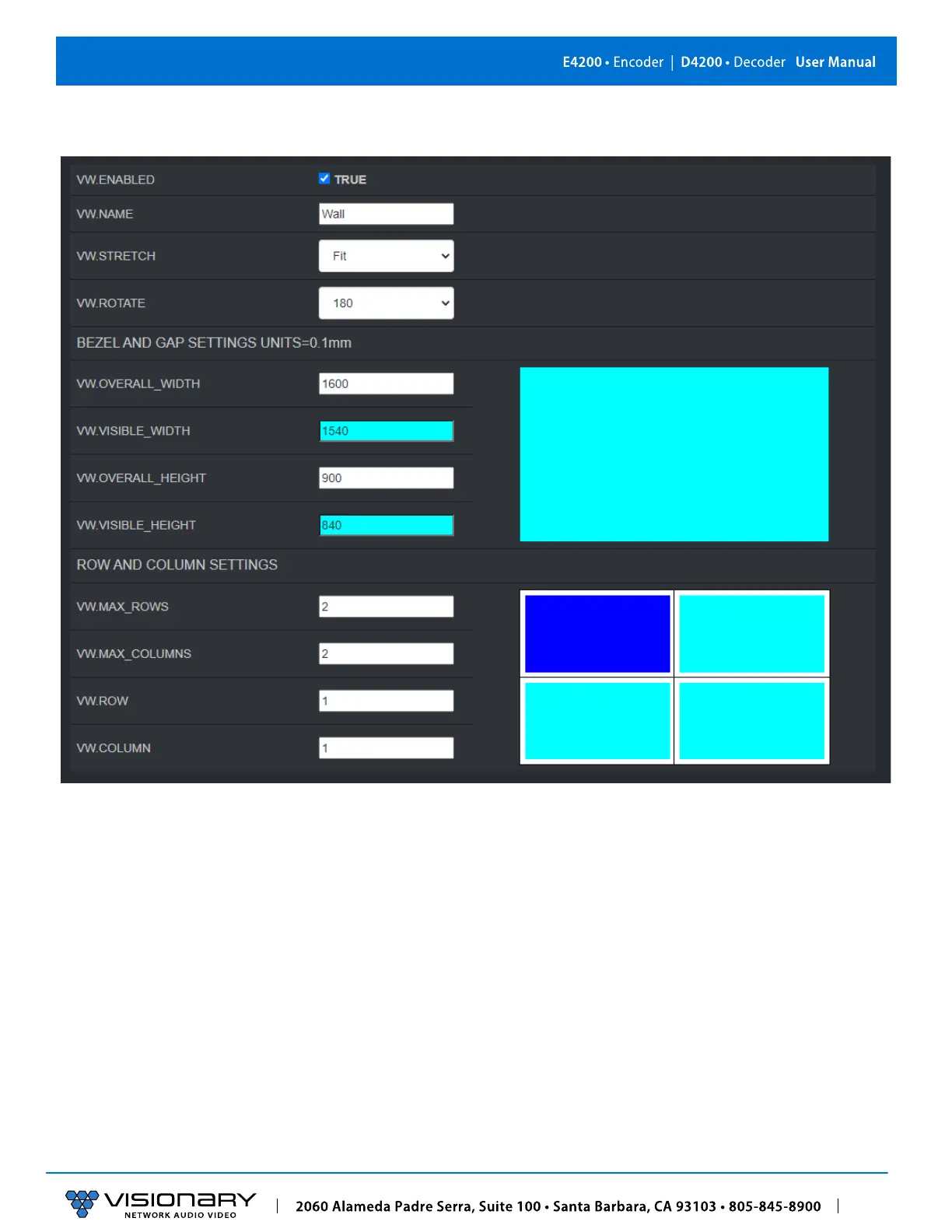
VW.ENABLED – Setting for turning Video Wall mode on or off. See section Video Wall.
VW.NAME – Hidden until VW.ENABLED is set to TRUE. User defined Video Wall name. For example: Videowall_1 or Videowall _3.
(letters, numbers, dashes, and underscores only). See section Video Wall.
VW.STRETCH – Hidden until VW.ENABLED is set to TRUE. See section Video Wall.
VW.ROTATE – Hidden until VW.ENABLED is set to TRUE. See section Video Wall.
VW.OVERALL_WIDTH –
Hidden until VW.ENABLED is set to TRUE. See section Video Wall.
VW.VISIBLE_WIDTH – Hidden until VW.ENABLED is set to TRUE. See section Video Wall.
VW.OVERALL_HEIGHT – Hidden until VW.ENABLED is set to TRUE. See section Video Wall.
VW.VISIBLE_HEIGHT – Hidden until VW.ENABLED is set to TRUE. See section Video Wall.
VW.MAX_ROWS – Hidden until VW.ENABLED is set to TRUE. See section Video Wall.
VW.MAX_COLUMNS – Hidden until VW.ENABLED is set to TRUE. See section Video Wall.
VW.ROW – Hidden until VW.ENABLED is set to TRUE. See section Video Wall.
VW.ROW- Hidden until VW.ENABLED is set to TRUE. See section Video Wall.


 To Next Page