52
ВАРШ.201219.009РЭ
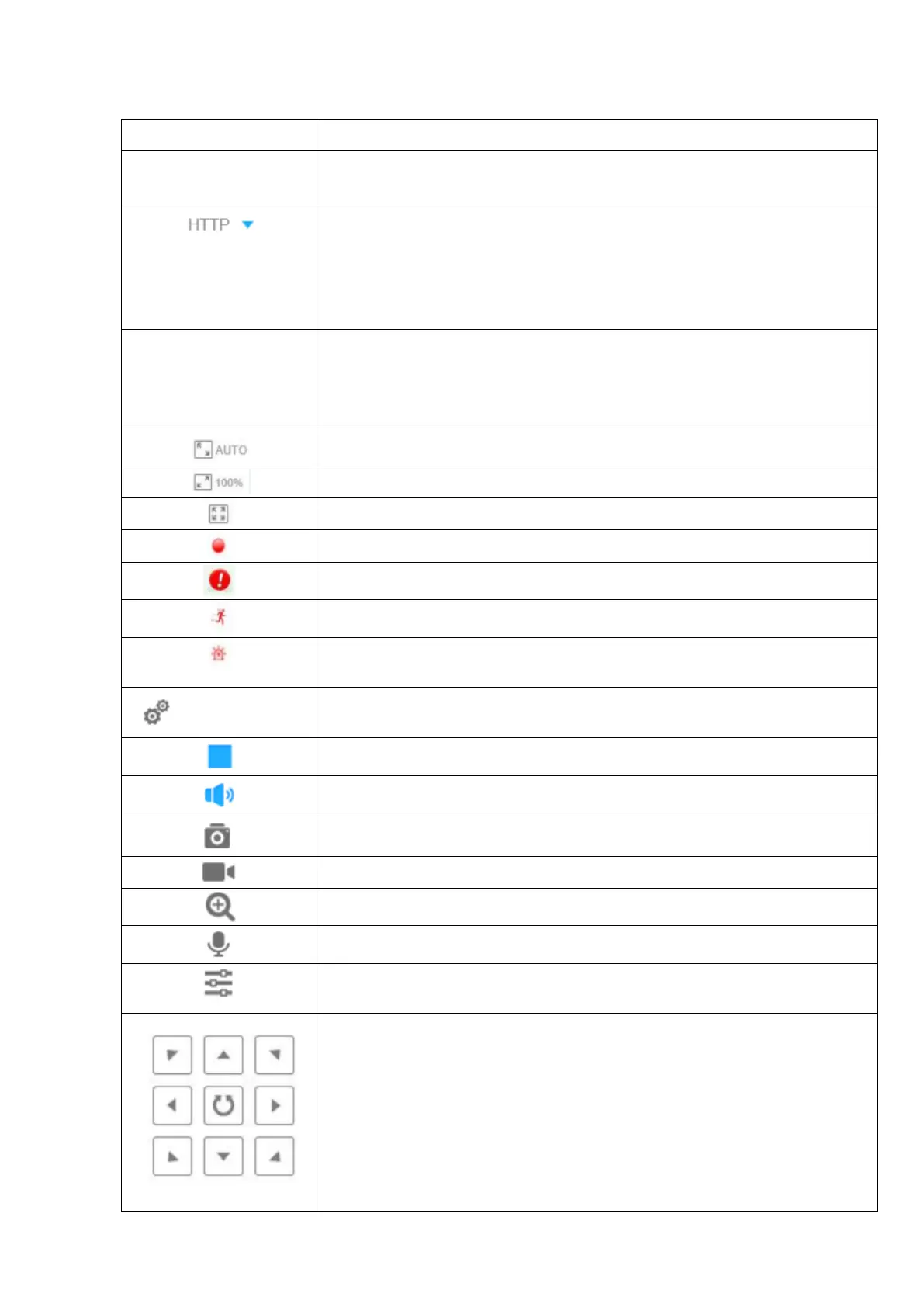
Table B.1 - Buttons of the Basic settings tab
Choose the Stream (Primary/Secondary/Tertiary) to
show on the current video window.
Selecting the transmission protocol:
TCP: More reliable connection;
UDP: More instantaneous connection, but if you cannot get the live view
successfully, please turn into TCP connection;
HTTP: Faster and safer connection especially in Internet environment.
Least Delay: The most instantaneous mode;
Balanced: A balanced mode between Least Delay and Best Fluency,
maintains the fluency while keeps an acceptable delay;
Best Fluency: The most fluent mode;
Click to display images at a window size.
Click to display images at a real size.
Click to display images at full-screen.
When recording, the icon will turn red.
When an alarm of Smart Event was triggered, the icon appears.
When an alarm of Motion Detection was triggered, the icon appears.
Except for the two kinds of alarms above, when other alarms were trig-
gered, the icon appears.
Click to access the configuration page.
Turn on / off the loudspeaker
Video control (zoom, focus, brightness, contrast, sharpness, noise reduc-
tion)
Navigation buttons are used to control the direction of the PTZ camera.
The rotation button is used for automatic reversal.



 To Next Page