MGW Ace Encoder HEVC Encoding and Streaming Appliance
User Manual, Version 2.1 31
To set the channel parameters:
1. From the main menu, select Channels.
2. Set the following parameters as required in each section and click Apply.
NOTE:
• Fields and optional settings in each one of the sections are automatically adjusted when you switch
from HEVC to H.264 channels to display only the settings and the parameters that are applicable to
the selected channel.
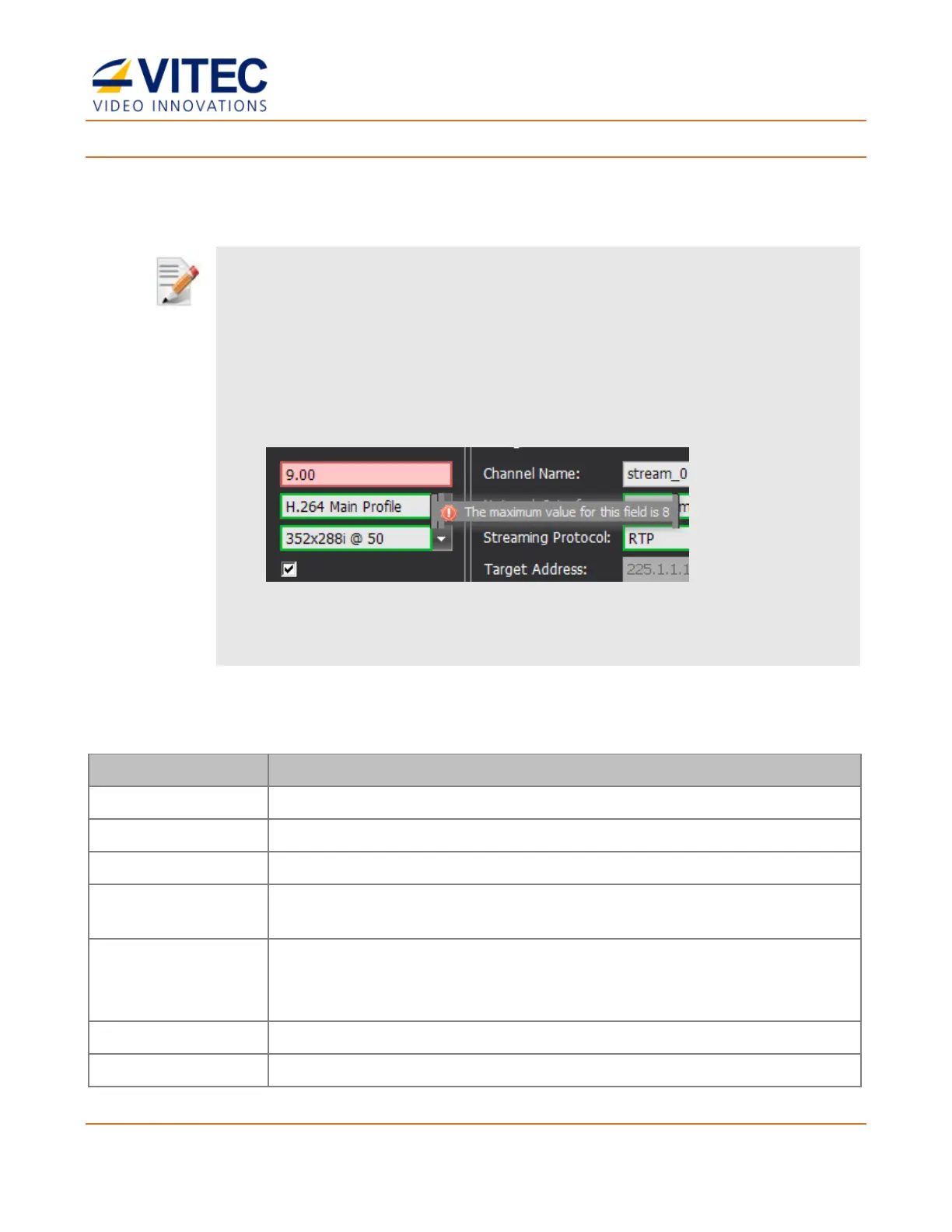
• A green frame appears when entered value is valid (see figure below).
• A red frame appears when the entered value is not valid accompanied with a message specifying the
valid value or a range (see figure below).
• To apply changes to one or more fields you must click the Apply button on the bottom right. When
exiting the settings screen or starting a channel without applying the settings, the previous settings will
apply.
Select the active source interface.
Displays the detected video format.
Select the box to force a test pattern to be streamed for testing purposes.
Select the box to enable HPF filter. Available for HEVC and H.264
streams.
Type the HPF Level value.
• HEVC: range is 1 to 10. The default is 3.
• H264: range is 1 to 4095. The default is 128.
Select the box to preview the channel video input on the SDI output.
Selected the active audio source (available for each of two audio tracks).



 To Next Page