MGW Ace Encoder HEVC Encoding and Streaming Appliance
User Manual, Version 2.1 27
Red - Not synchronizing with NTP server or the NTP server is
unreachable.
• Talkback – An indication LED for status of talkback communication.
Grey – Talkback is deactivated
Orange – Talkback is activated, waiting for a connection
Green- Talkback communication is established
Zixi Statistics Information
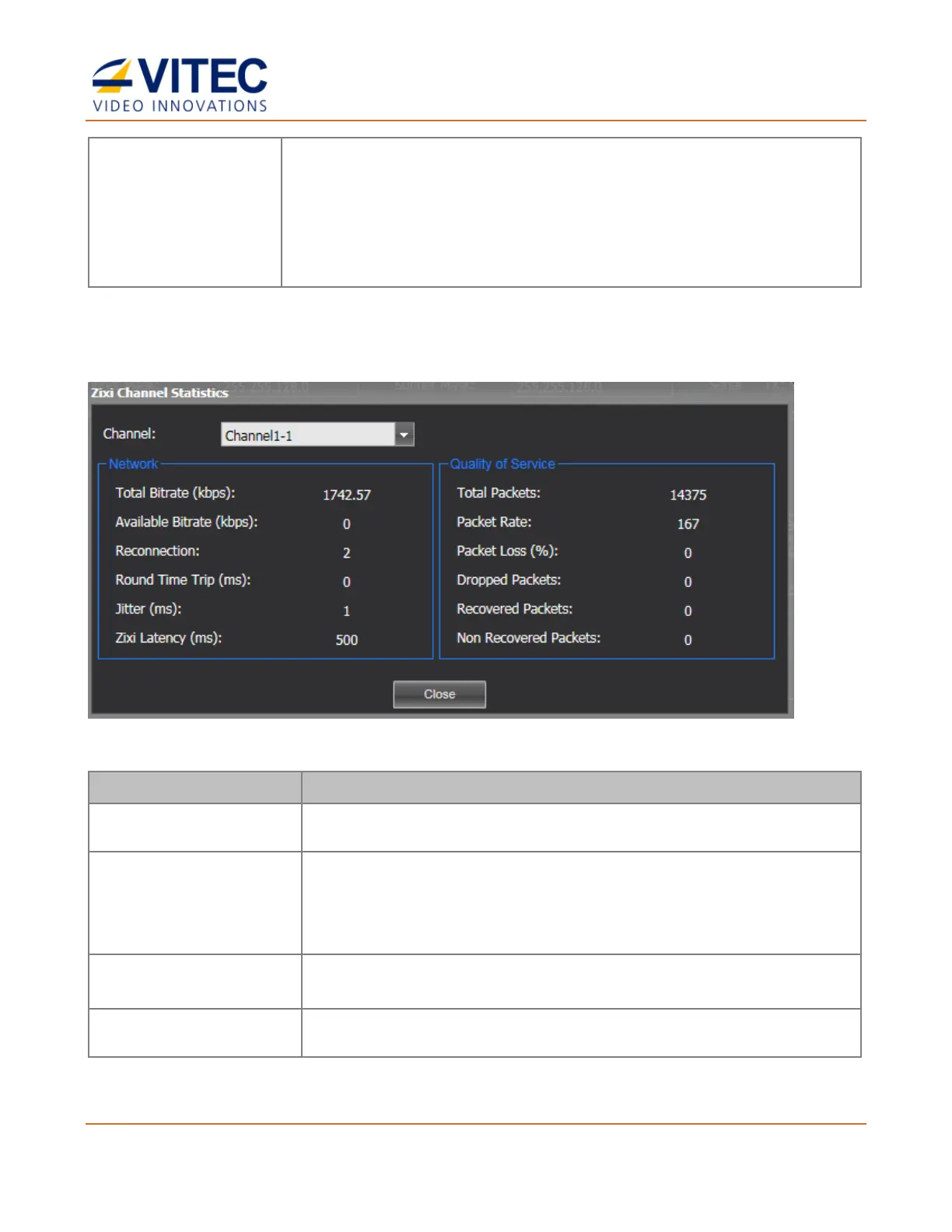
1. When a Zixi channel starts playing, click the info button. The Zixi Channel Statistics
window opens:
Figure 4-3: The Zixi Channel Statistics window
Current bitrate of the outgoing channel
This value is only available when "Enable ABR (Adaptive Bitrate)"
is enabled (Error correction setting).
Current available bitrate between MGW Ace Encoder and a Zixi
broadcaster or VITEC Decoder (MGW Ace Decoder or D265).
Displays the number of reconnection attempts. If this number keeps
increasing then the network link is unstable and should be checked.
Two-way delay between the encoder and decoder (RTT).



 To Next Page