MGW Ace Encoder HEVC Encoding and Streaming Appliance
User Manual, Version 2.1 74
Using VLC as the Player for H.264 Streams
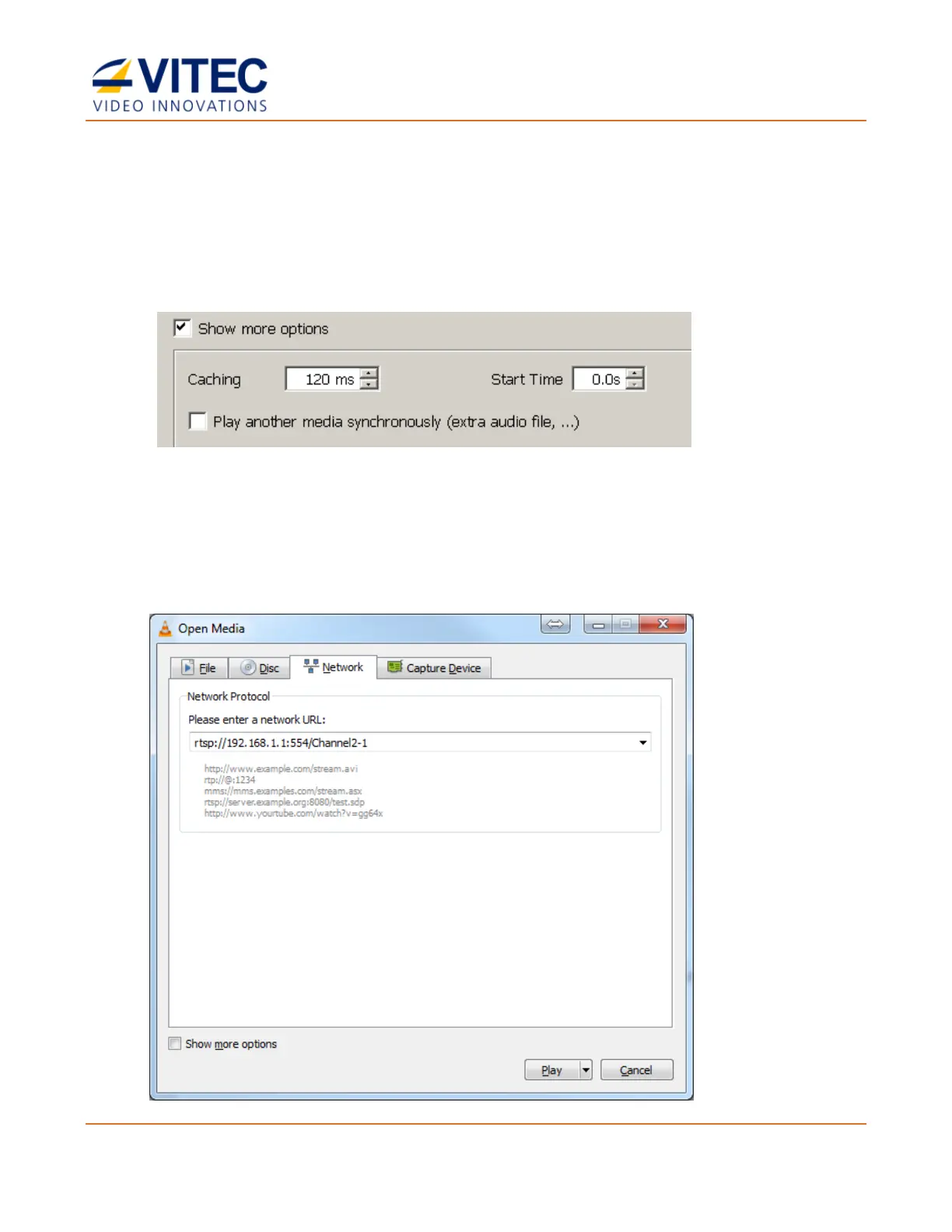
1. Invoke VLC Media Player.
2. Select Media>Open Network Stream. The Open Media window appears.
3. Set Caching by Clicking the Show more options box and set the caching to a value
between 120 to 140 milliseconds depending on your network performance:
4. Select the Network tab and depending on the encoding mode and the selected streaming
protocol (UDP TS, RTP TS, Pro-MPEG, and RTP ES), enter the following syntax in the URL
field:
• For RTP ES Streams:
rtsp://<MGW IP Address>:<RTSP Server Port>/<CHANNEL NAME> (see example in figure
below).



 To Next Page