VITRIKO
Mobile Data Experts
5. R O U T E R DESIGN
5.8.4 SIM card reader
The SIM card read er for 3 V and 1,8 V SIM cards is located on the front panel of the router.
T o initiate the router into operation it is necessary t o insert an activated SIM card with un-
blocked PIN in the re a de r. The SIM cards might be of different adjusted APN (Access P o i n t
Name).
Changing the SIM card:
Before handling of the SIM card turn off the router and disconnect it from power supply.
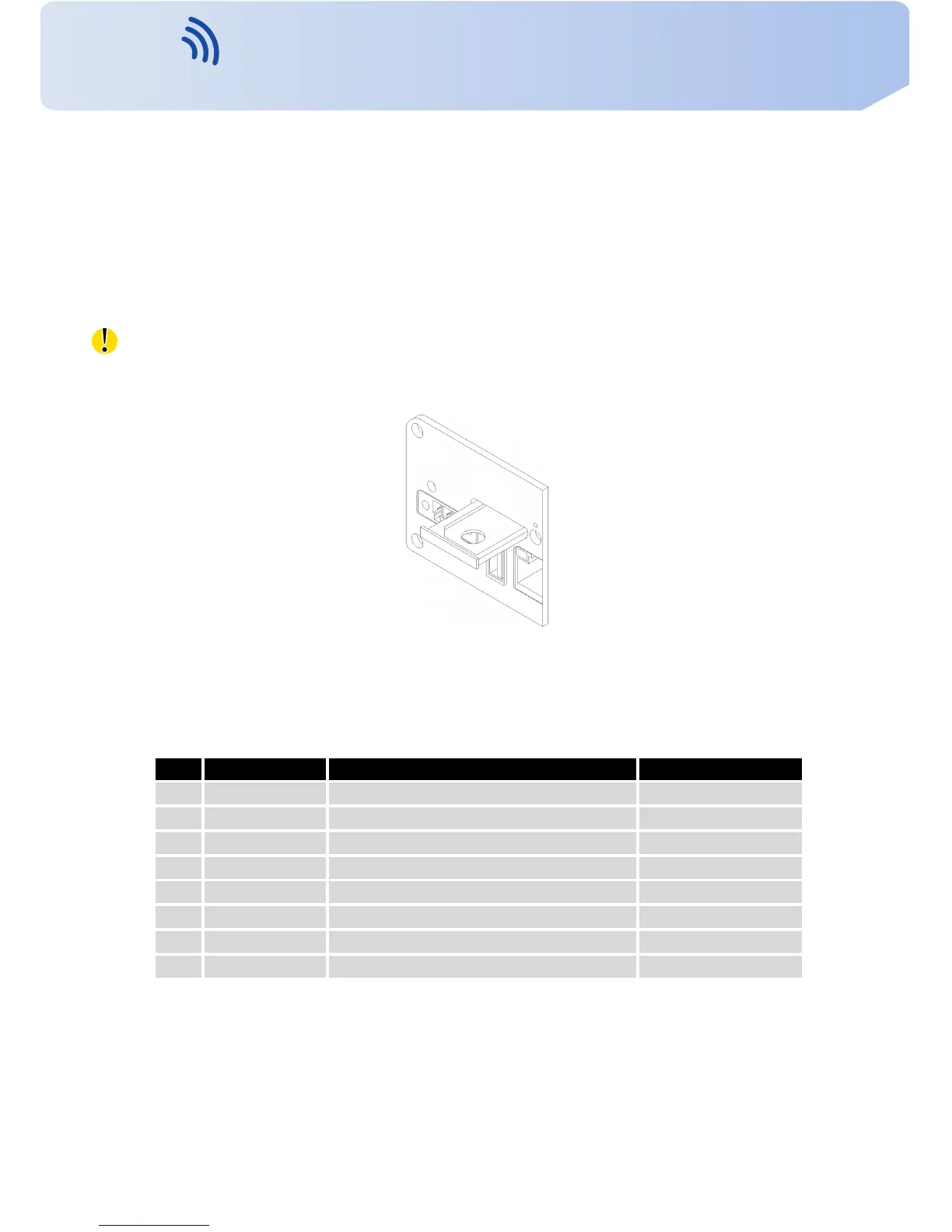
Press the small y e l l o w button to eject the rea d er holder. Insert the SIM card into the read er
holder and slide it in the re a de r (see figure below).
Figure 26: Ejected SIM holder
5.8.5 Ethernet port
P a n e l soc ket RJ45.
Pin Signal mark Description Data flow direction
1 TXD+ T r a n s m i t Data – positive pole Input/Output
2 TXD- T r a n s m i t Data – negative pole Input/Output
3 RXD+ R e c e i v e Data – positive pole Input/Output
4 — —
5 — —
6 RXD- R e c e i v e Data – negative pole Input/Output
7 — —
8 — —
T a b l e 8: Connection of Ethernet connector
16
Contact www.vitriko.com info@vitriko.com


 To Next Page