VITRIKO
Mobile Data Experts
5. R O U T E R DESIGN
5.8.6 PORT1
The PORT1 is equipped on customer’s re q ue s t with one of the offered e x p a n s i o n ports:
• RS232
• RS485
• RS422
• ETHERNET
• MBUS
• CNT
• S W I T C H (together with PORT2)
Description and e x a m p l e s of e x p a n s i o n ports connection can be found in user’s guide for
corresponding e x p a n s i o n port.
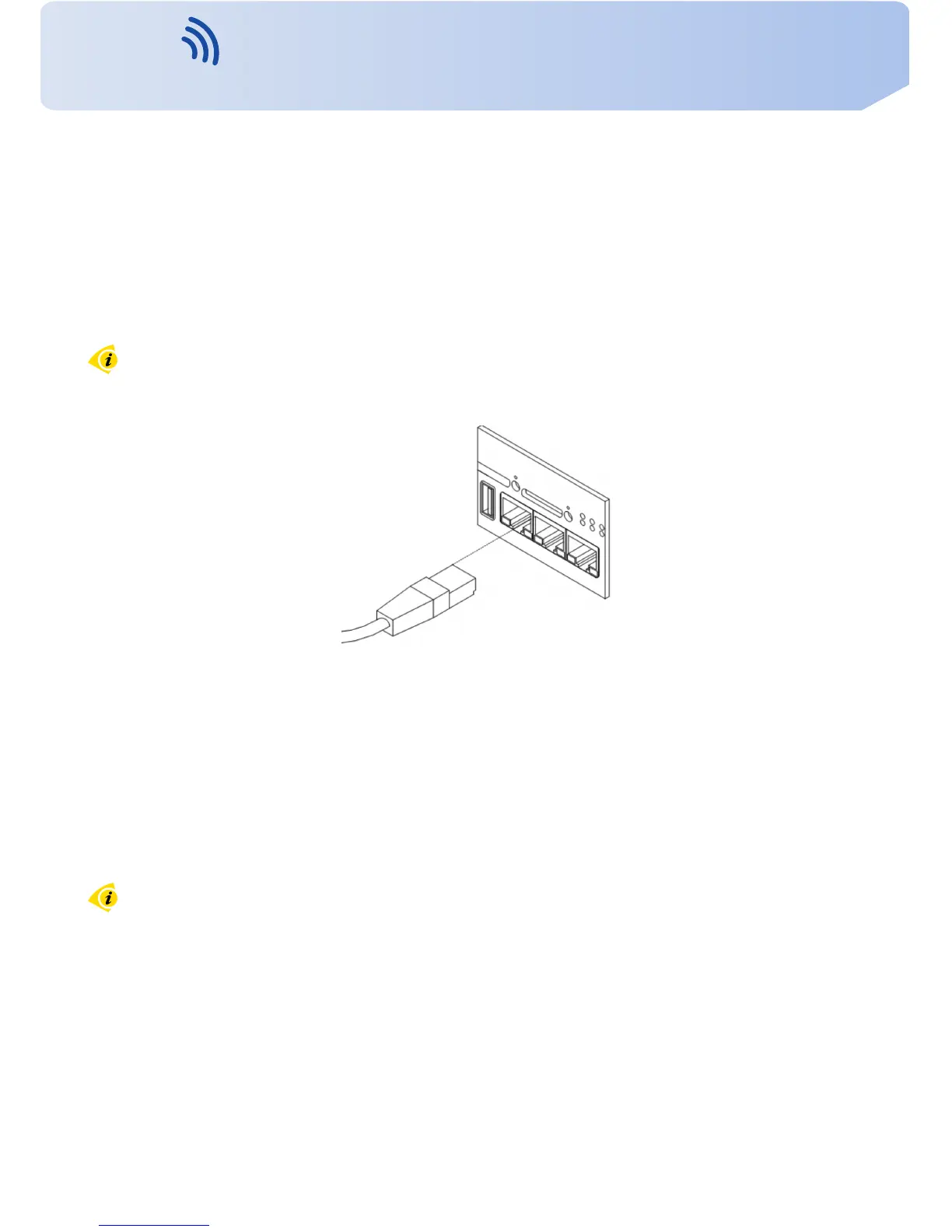
PORT1 cable plug into the RJ45 connector labeled as PORT1 (see figure below).
Figure 30: PORT1 cable connection
5.8.7 PORT2
The PORT2 is equipped on customer’s re q ue s t with one of the offered e x p a n s i o n ports:
• RS232
• RS485
• RS422
• MBUS
• SDH
• S W I T C H (together with PORT1)
• WIFI
• WMBUS
PORT2 is a v a i l a b l e only in the F u l l v e r s i o n of the router! Description and e x a m p l e s of
e x p a n s i o n ports connection can be found in user’s guide for corresponding e x p a n s i o n port.
18
Contact www.vitriko.com info@vitriko.com


 To Next Page