42
Home Screen
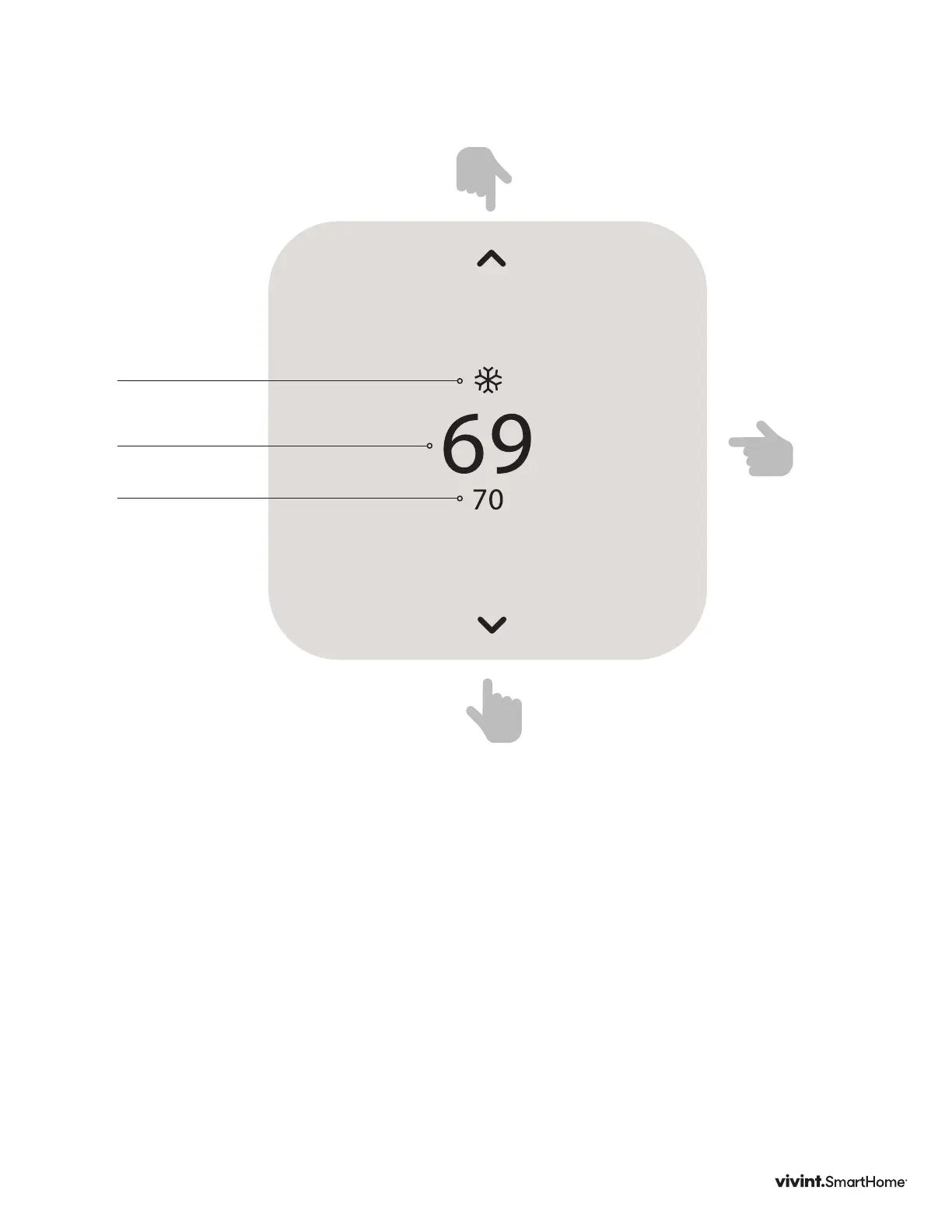
ThisisthedefaultscreenontheThermostat.Anytimeyoupressthefrontofthethermostat,
theunitwakesfromsleep(orsensesyouapproaching,ifutilizingC-wireandwake-on-
approachisenabled),thescreenlightsupanddisplaysthesystem’smode(top),thetarget
temperature(center),andthecurrentroomtemperature(bottom).
WheninHeatmode,thelightbaratthebottomoftheunitglowsorange.WheninCool
mode,itglowsblue.Whentheunitiso,thelightbardoesnotglow.Whenthesystemis
activelyheatingorcooling,thecoloredglow“breathes”whenthedisplayison.
• Totemporarilychangethetargettemperature,pressup/down.Thesystemwillmeetthe
targettemperatureuntilthenextprogramperiodstartsoryouchangethesystemmode.
Navigating The Screens
• PresstheUP/DOWNarrowstomovethecursoronthescreen
• PresstheSIDEbuttontomakeaselectionorscrollthroughoptions
• Togobacktoapreviousscreen,pressandholdtheUParrowatthetopofthescreen
andpresstheSIDEbutton.
• Fromthehomescreen,presstheSIDEbuttontoturnthesystemon.PresstheSIDE
buttonagaintosetthemode.
Mode
LightBar
TargetTemp
RoomTemp
ForUParrow
presshere
ForSIDEbutton
presshere
ForDOWNarrow
presshere
Vivint Element Operation Guide
Product Overview



 To Next Page