VIVOTEK
26 - User's Manual
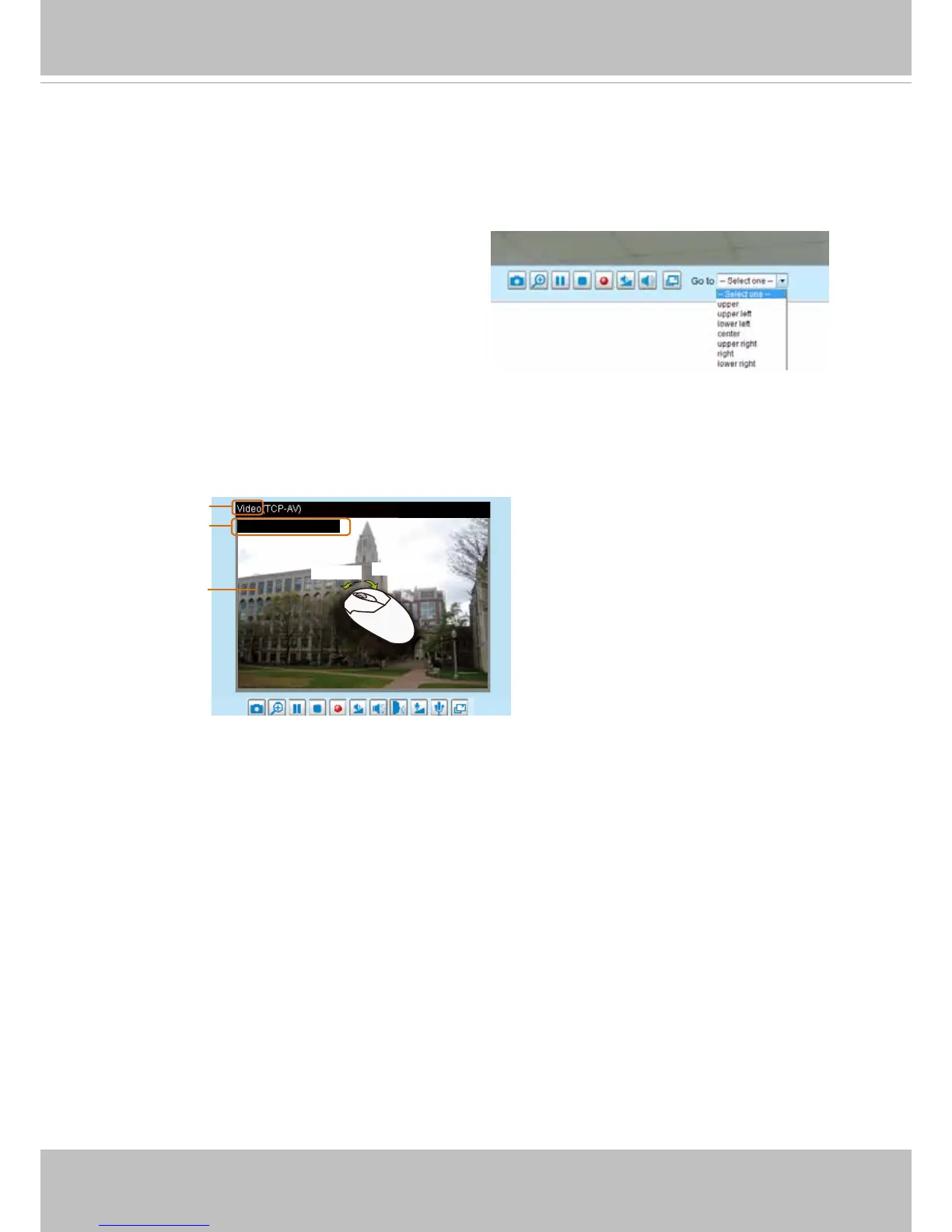
Go to
If you congured and chose to display a smaller region of interest from out of a maximum
image frame, you can congure different areas within the frame as preset points, and use
this menu to move to a location.
A zoom indicator will be displayed on the Home page when you zoom in/out on the live viewing
window as shown below. You may zoom in/out on the image by scrolling the mouse wheel inside
the live viewing window, and the maximum zoom in will be up to 4 times.
Video Title
Title and Time
Video 17:08:56 2012/11/09
2012/11/09 17:08:56
X2.1
Zoom Factor
Zoom In
Zoom Out



 To Next Page