VIVOTEK
84 - User's Manual
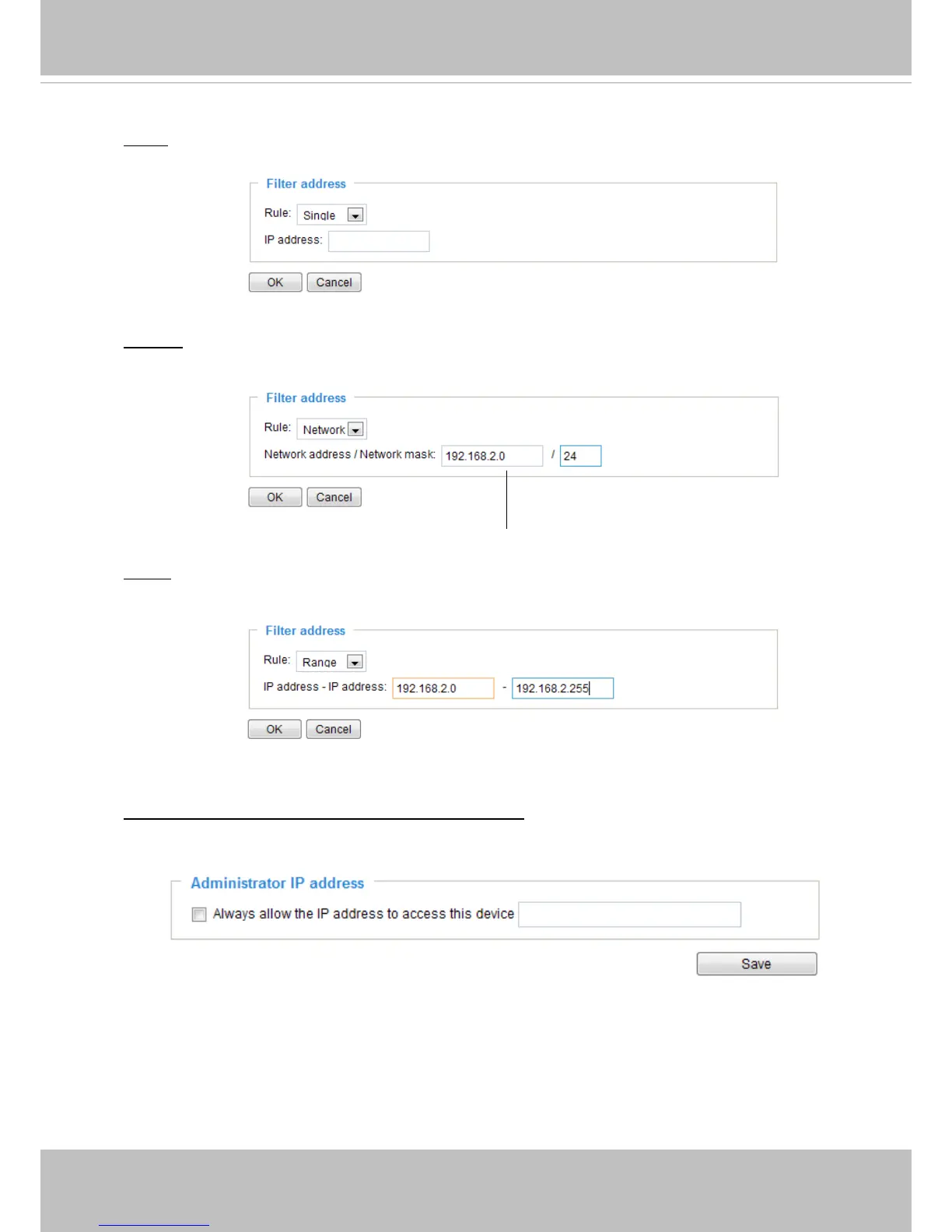
Network: This rule allows the user to assign a network address and corresponding subnet mask to
the Allow/Deny List. The address and network mask are written in CIDR format.
For example:
Range: This rule allows the user to assign a range of IP addresses to the Allow/Deny List.
Note: This rule is only applied to IPv4.
For example:
Administrator IP address
Always allow the IP address to access this device: You can check this item and add the
Administrator’s IP address in this eld to make sure the Administrator can always connect to the
device.
IP addresses 192.168.2.x will be bolcked.
There are three types of rules:
Single: This rule allows the user to add an IP address to the Allowed/Denied list.
For example:
192.168.2.1



 To Next Page