VIVOTEK - Built with Reliability
User's Manual - 113
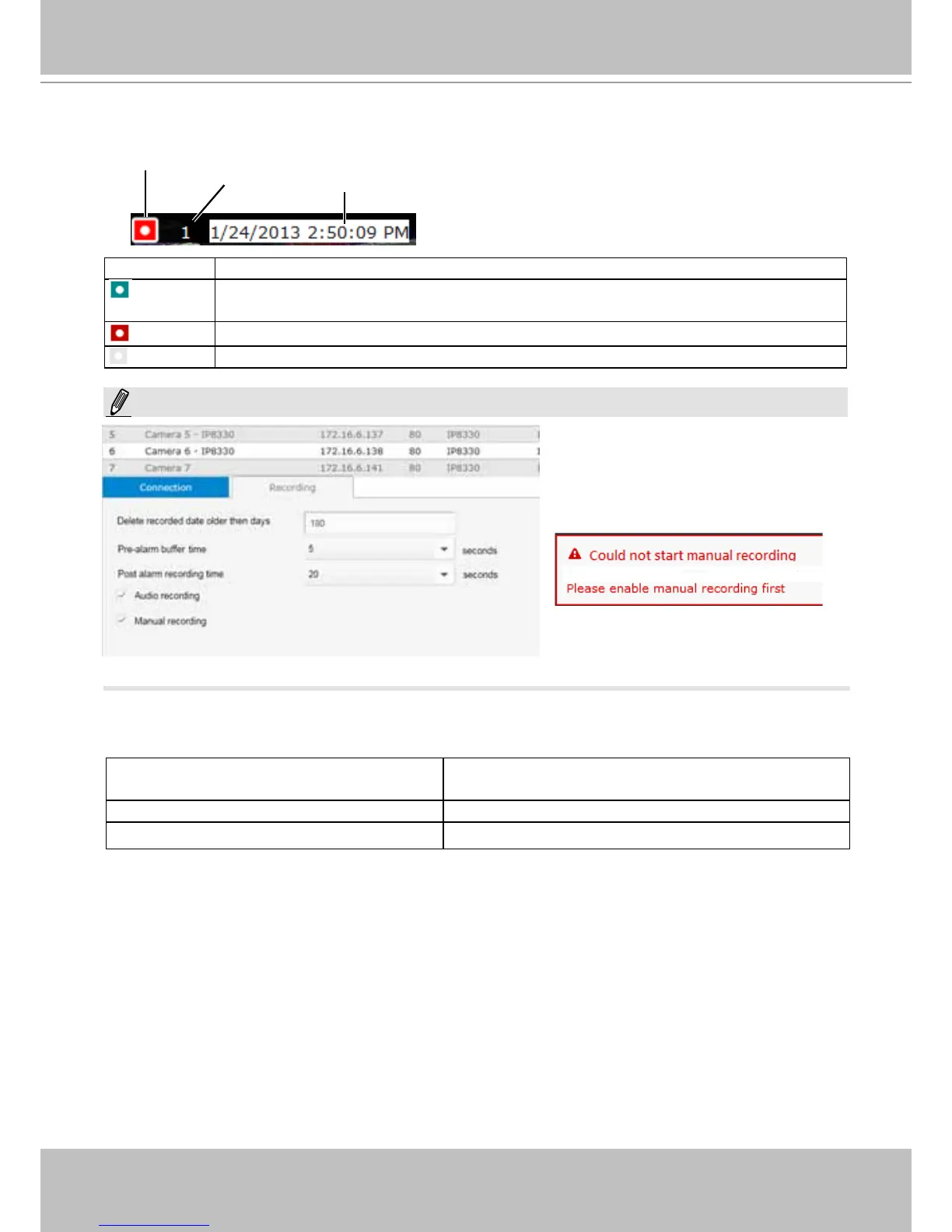
Information Bar
Status icon Description
Connected with live streaming; a single click on this icon can trigger a manual
recording.
Connected and recording video to system storage.
Disconnected or trying to establish a connection.
If you disable the Manual recording
function on the Settings page, you
will not be able to use the Manual
Recording function on the Liveview.
A mouse hover over the status icon will produce the following messages:
1. "Connecting..." or "Cannot connect" Connecting to a camera, or connection problem
might have occurred.
2. "Live streaming" Video is being streamed.
3. "Recording" Currently recording the video stream.
Camera index
Video time
Video time: The time congured on the NVR system is displayed here.
Camera index: an index number appointed to a camera following the order you inserted
cameras during the initial setup.
NOTE:



 To Next Page