VIVOTEK - Built with Reliability
User's Manual - 147
5-1-5. Settings - Camera - PTZ settings
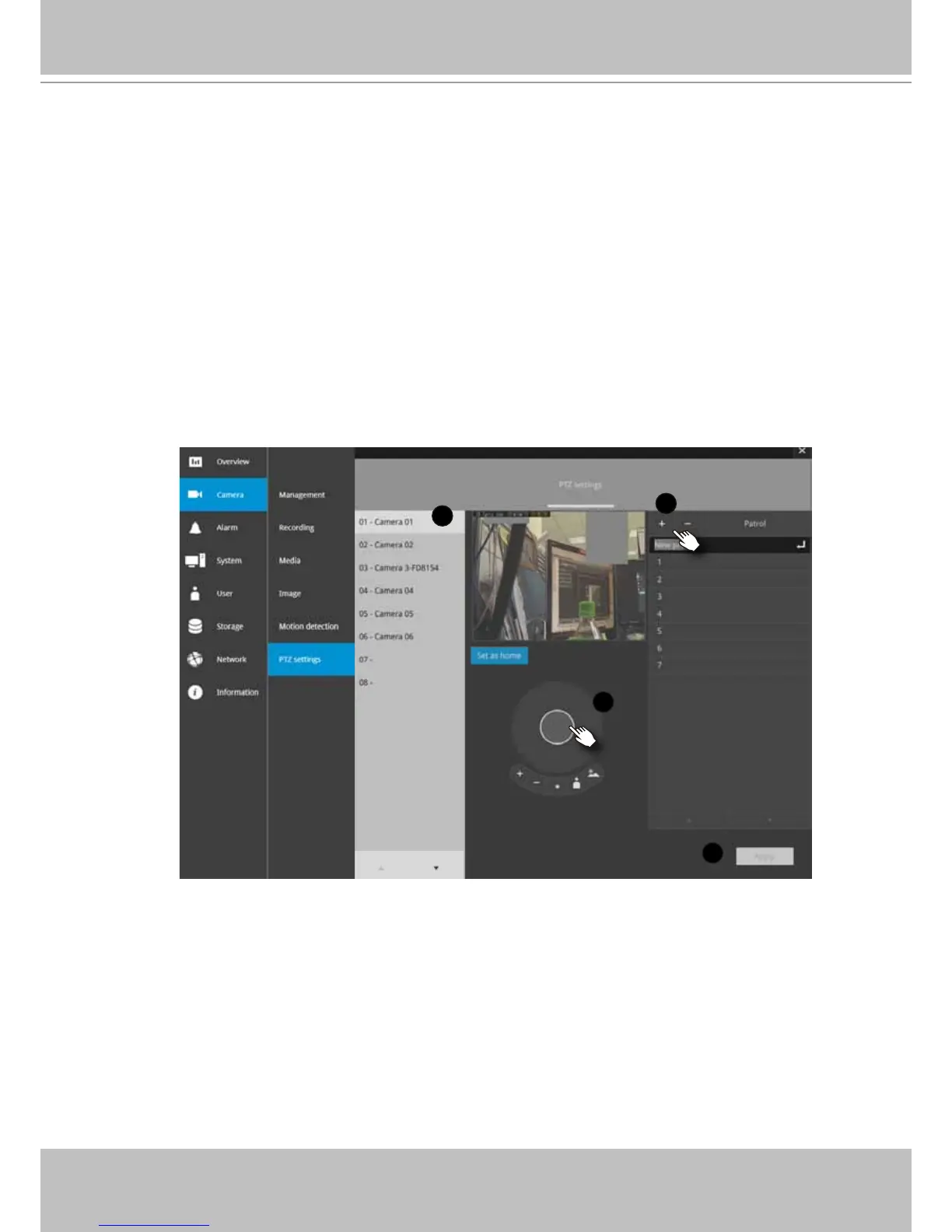
To congure PTZ preset positions:
1. Select a PTZ camera by a single click.
2. Use the PTZ panel to move to a eld of view where you want to designate as a preset
position.
3. Click the add button, and enter a name for the position. Press Enter to proceed.
Repeat the conguration to create more positions.
4. Click the Apply button for the conguration to take effect.
Note that the PTZ panel can vary with different PTZ cameras.
1
2
3
4



 To Next Page