VIVOTEK - Built with Reliability
96 - User's Manual
3-5-18. Settings - Network
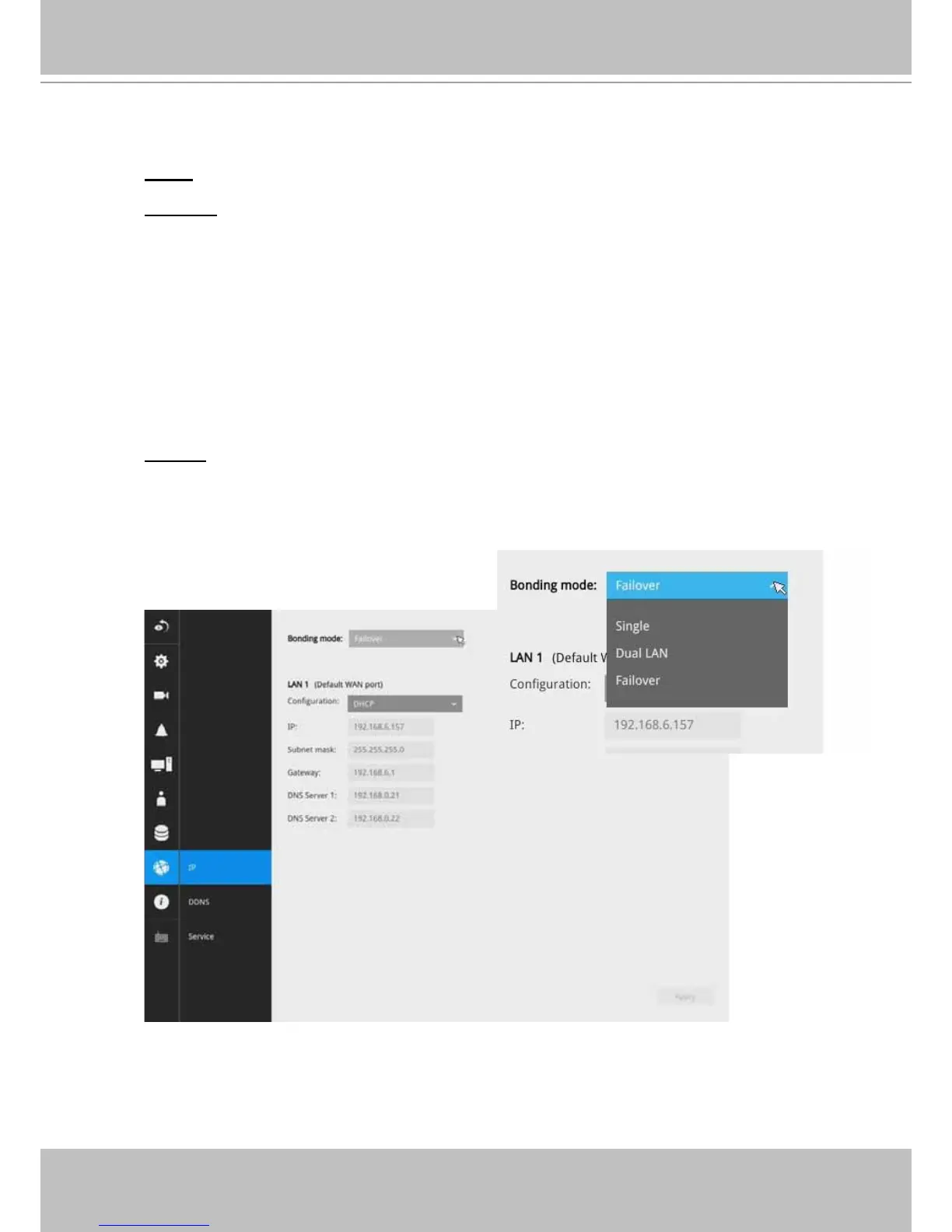
Bonding mode
Single: Only the LAN1(Eth0) port is effective. LAN2(Eth1) is not functional.
Dual LAN:
1. The network parameters of two Ethernet ports are independent. You can attach these two
Ethernet ports to different subnets, e.g., one for a network console or as a uplink; the other to a
PoE switch for connecting IP cameras.
2. The major gateway of the system is LAN1(Eth0) as the Ethernet port for a network console.
LAN2(Eth1) can be used for connecting to a PoE switch and then to IP cameras.
3. Do not connect IP cameras that come with virtual IPs (cameras’ default 169.254.x.x) to
LAN1(Eth0). The DRM search will not be able to nd cameras that come without a designated
IP. Also, if a DHCP server is not present in a network LAN1 is attached to, you will not able to
nd the NVR using the IW2 utility.
4. In this mode, do not attach LAN1(Eth0) and LAN2(Eth1) to the same subnet.
Failover: (system default)
1. The two Ehternet ports share the same IP address. LAN1(Eth0) is the default main access route
for the system, while the LAN2(Eth1) acts as a standby port. They act as a fault-tolerant pair.
2. In this mode, LAN1(Eth0) and LAN2(Eth1) ports must be attached to the same subnet.



 To Next Page