VIVOTEK - Built with Reliability
User's Manual - 187
6-2. Search Recording Clips
The elements in the Camera list on a Search recording clips window are similar to those on a
Liveview window. Please refer to page 107 for details on the Camera list panel.
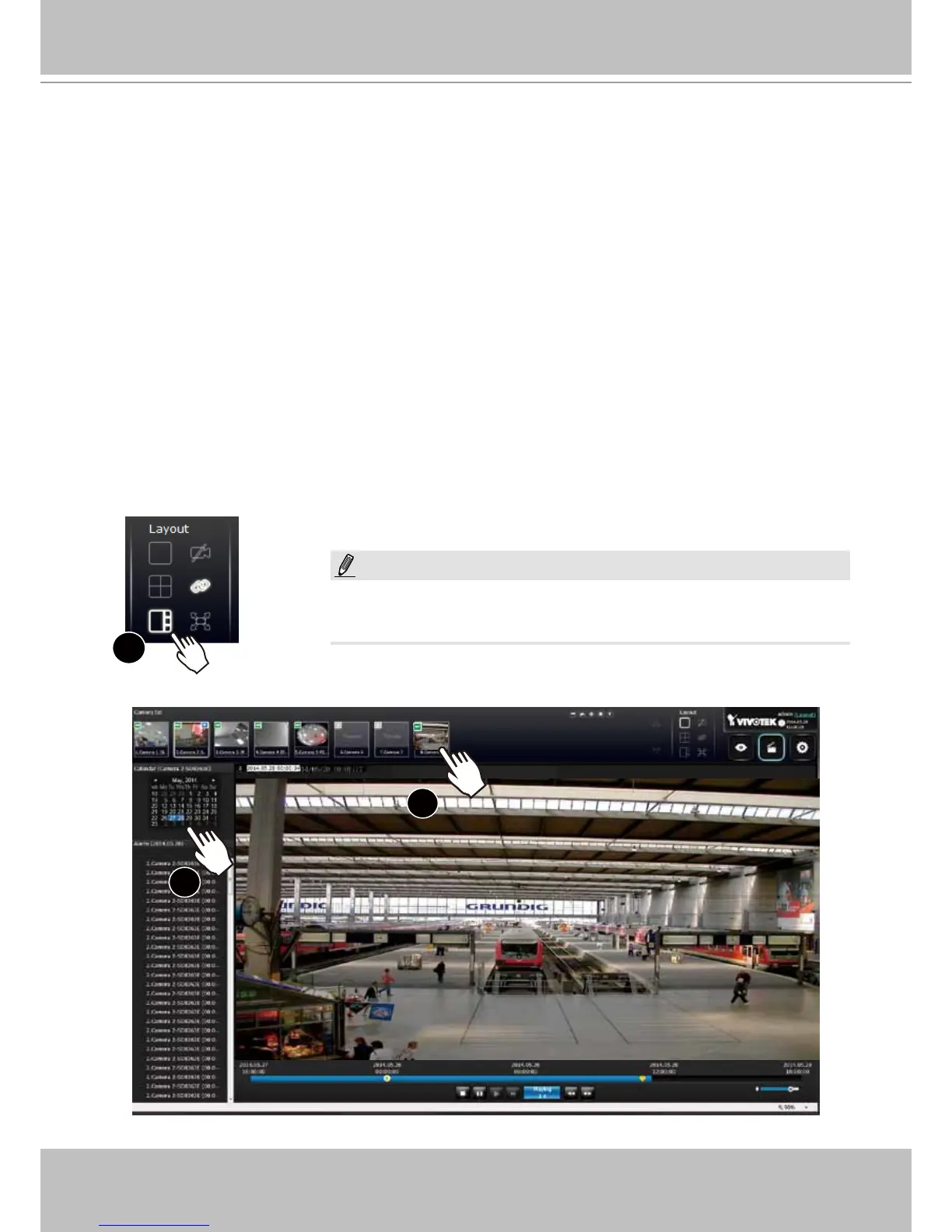
1. Select a layout. You can display the playback views of multiple cameras on one screen.
2. Double-click on a camera.
3. The Calendar panel will display the days video recording actually took place. And those days
will be highlighted by a blue background (as the 25th and 28th in the screen below.)
x2
2
3
However, on a Search recording clips window,
1. You cannot click and drag a camera thumbnail to a playback view cell.
2. A double-click on a camera does not display video in a view cell. A double-click displays a
calendar where days with recorded videos are shown.
6-2-1. Begin Playback and Search for Past Recordings
1
NOTE:
If a video stream was recorded in the MPEG-4 format, it will not be
playable on the Playback window.



 To Next Page