24
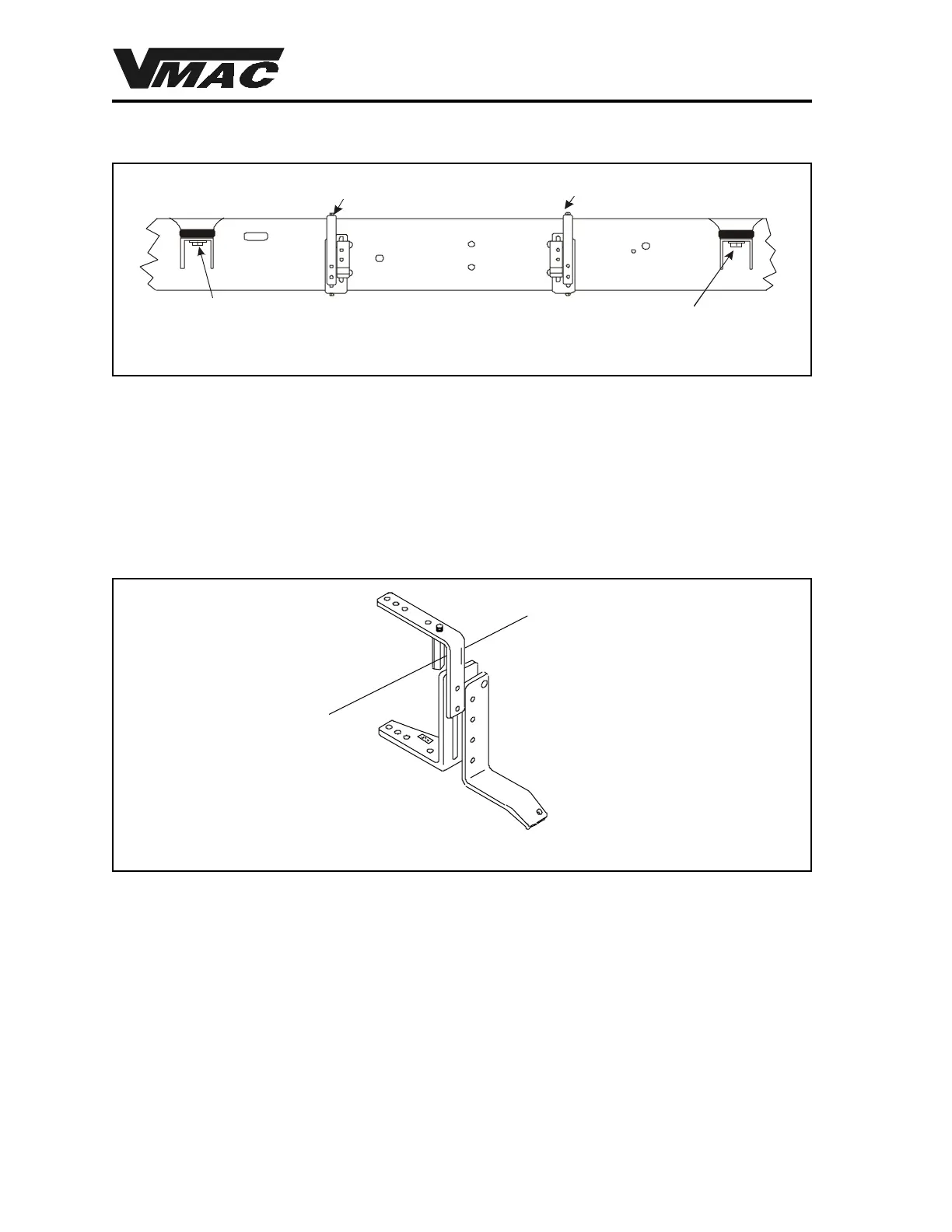
1. Clean all dirt and debris from the frame on the driver’s side, between the two cab mounts
(Figure 12)
2. Look at the frame under the cab on the driver’s side of the truck to determine if there are
any obstructions that require clearance, such as emergency brake cables or brake lines. It
may be necessary to bend the panel section which extends down under the cab floor on the
driver’s side out and up 1/2 inch to provide clearance. Remove the OEM emergency brake
cable guide bracket from the chassis.
Front Cab Mount
Rear Cab Mount
Front Bracket Rear Bracket
Figure 12
DOCUMENT 19297
3. Loosen the bracket adjusting bolts on both bracket assemblies so that the upper and lower
tank brackets will slide freely. The prepared assembly is shown in Figure 13.
Emergency Brake
Cable
Figure 13
5. Insert the front tank bracket over the frame. You may have to turn the tank bracket
sideways to get it in place, then rotate it over the top of the frame (Figure 14). Make sure
that the emergency brake cable fits between the outer coupling nut and the tank bracket.
6. Insert the long hex head cap screw through the bottom bracket and thread it into the
coupling nut. Do not tighten this assembly at this time, as you will need to move the bracket
along the frame to the correct location.
4. Install the outer coupling nut on both upper tank brackets. These should be threaded into
the bracket until the jam nut on the threaded rod contacts the bracket. Tighten the jam nut
with a wrench.



 To Next Page