Part 3: Installing the Throttle Controller
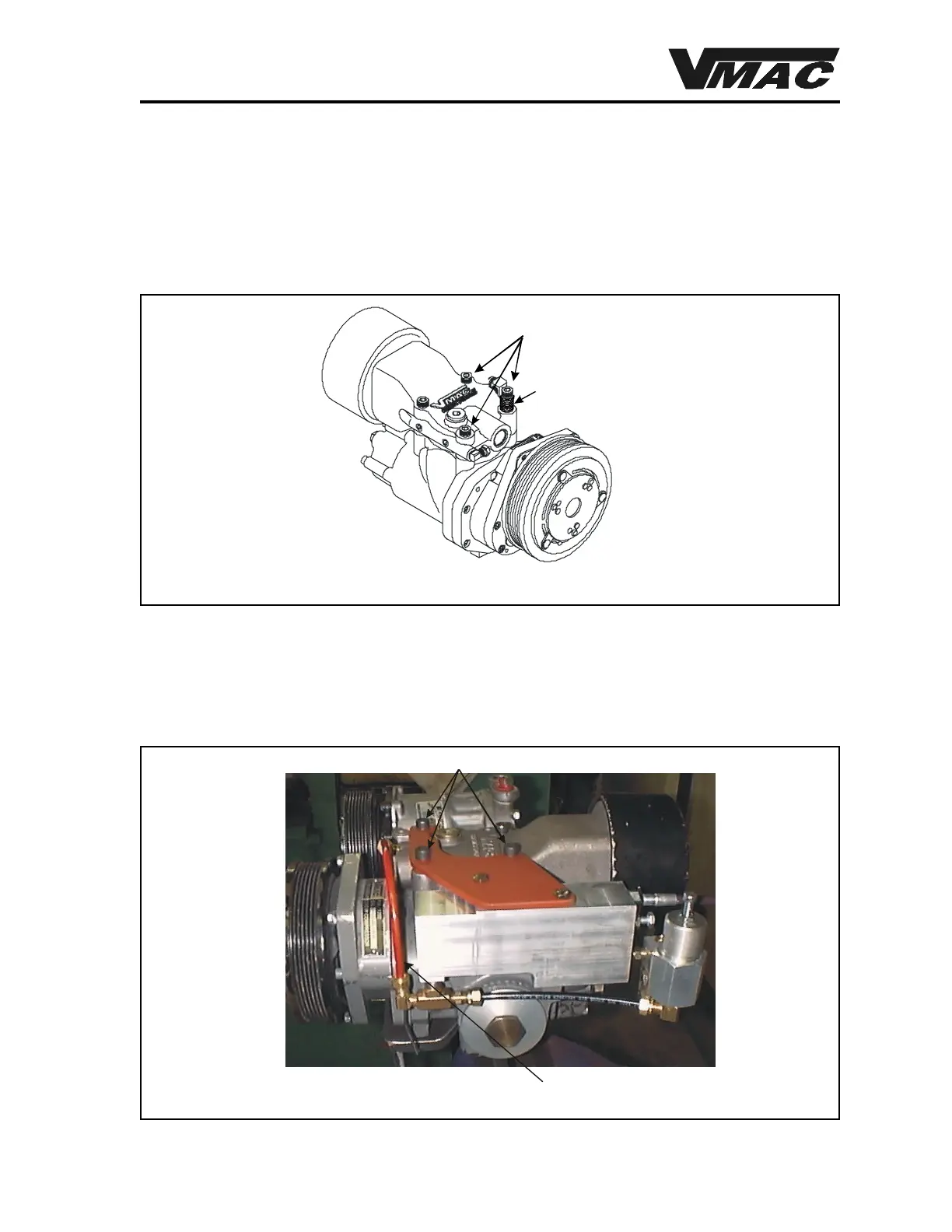
1. Remove the two (2) 8 x 60 front socket head cap screws and the 8 x 45 socket head cap
screw from left rear of the inlet control valve as shown in Figure 27. Remove and discard
the 8 flat washers from right front cap screw.
35
3.1 Installing the Throttle Controller
DOCUMENT 19298
Remove These
Socket Head Cap Screws
Remove and Discard
the 8 Shipping Washers
Figure 27
2. Fit the throttle controller and regulator assembly complete with mounting bracket to the top
of the compressor.
3. Install the two (2) 8 x 60 socket head cap screws to the two front holes and the 8 x 45
socket head cap screw to the rear hole and tighten (Figure 28).
Bracket Mounting
Red Polyline
Figure 28



 To Next Page