37
Therapy Protocols
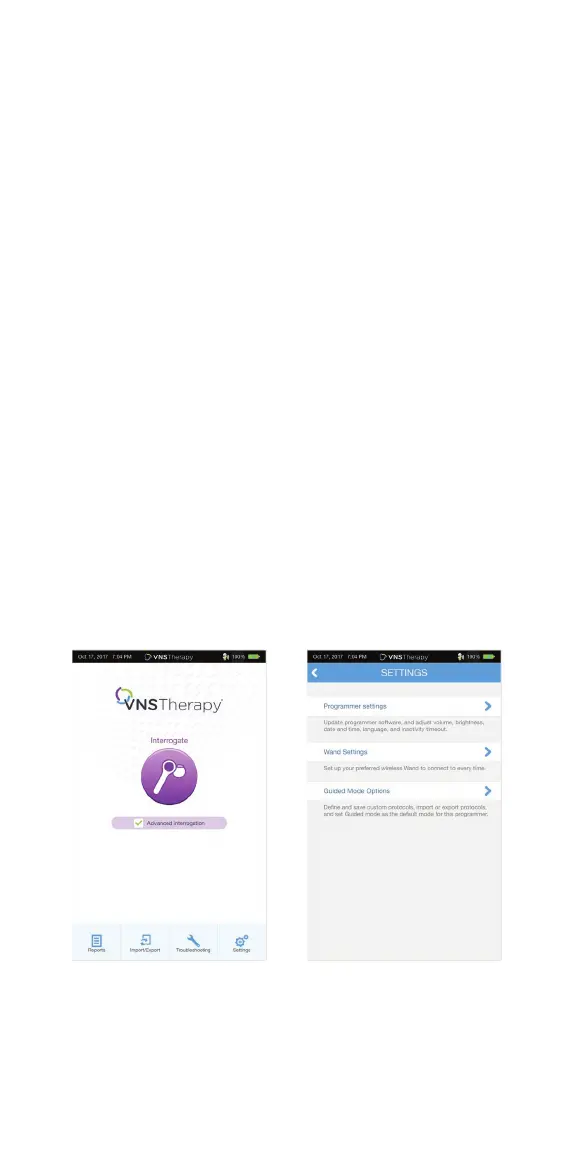
You can access, create, and manage therapy protocols from the Main Screen
prior to interrogation. This allows you to defi ne the mode, output current,
and parameter settings before you begin working with a patient.
To access therapy protocols:
1. From the Main Screen, tap on the SETTINGS button in the
Navigation Bar at the bottom of the screen
2. Tap on the GUIDED MODE OPTIONS button
3. From the Guided Mode Options screen, tap on
THERAPY PROTOCOLS button
To create a custom protocol:
1. From the Therapy Protocols screen, select CREATE PROTOCOL
2. From the Create Protocol - Select a Starting Point screen, select
START FROM SCRATCH or choose an existing protocol as base
3. Add or delete steps (maximum of 7) and set the output currents for
each therapy mode. When you are fi nished, tap NEXT
4. Choose the custom persistent parameters that will be used in all
protocol steps. When you are fi nished, tap NEXT
5. Follow on-screen prompts to name the custom protocol.
When you are fi nished, tap SAVE
6. From the Therapy Protocols Screen, use the BACK arrow to
return to the Main Screen



 To Next Page