39
Viewing Device Data
Use the History tab to review historical information about the patient’s
experience with the device. You can:
• View Summary Data
• Review Magnet Activation Counts and Timestamps
• Review Inhibited Stimulation Timestamps
• Run Daily and Hourly Histograms
NOTE:
At the end of each o ce visit, the generator must be interrogated by
tapping the INTERROGATE Button followed by tapping the END SESSION
button to ensure creation and accuracy of the session reports.
View History Data
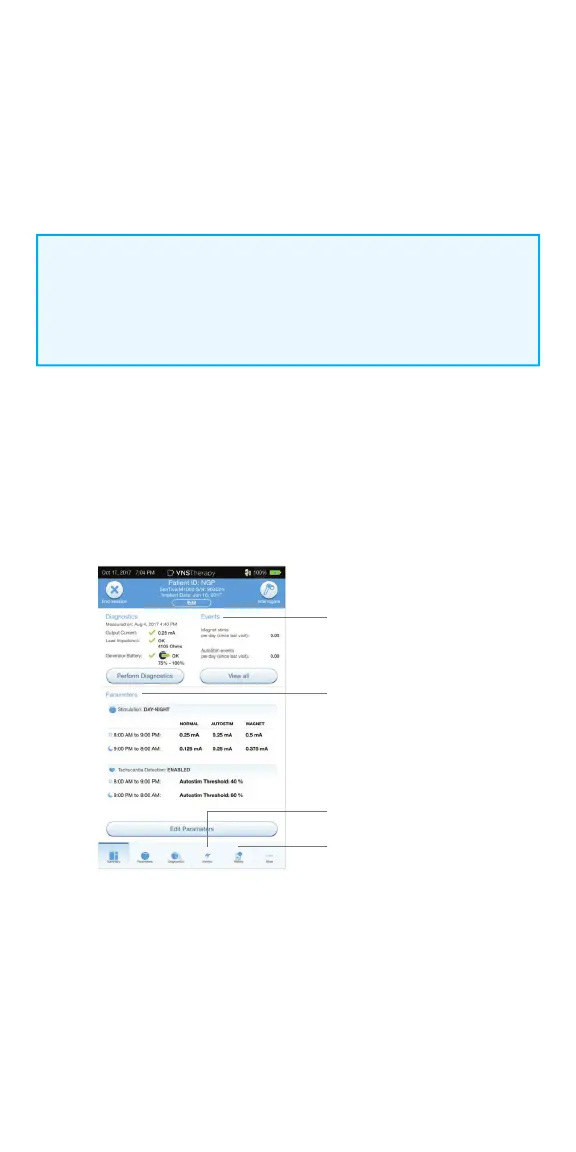
Summary data are stored in several diff erent locations:
1. To view current parameter settings:
After interrogation, parameter settings can be viewed on the
Summary Screen
2. To view a history of parameters that have been used with this
patient over time:
From the Summary Screen, tap on the HISTORY button to access these data
3. To create a session report:
Select VIEW SESSION REPORTS. Select the date and time of desired report
Events
Current parameters
Events
History



 To Next Page