9
GETTING STARTED
To get started, collect all the components of the VNS Therapy® System:
a) Touch-screen programmer preloaded with VNS Therapy®
programmer software
b) Wireless wand (Model 2000) with two AA lithium or alkaline batteries
c) Programmer charger
d) Type A-C USB cable (used to connect to charger to charge the programmer)
e) Type C USB cable (option to connect programmer to wand)
f) Type A-C USB drive (used to import/export protocols and export
session reports)
Before Using the Programming System
in a Patient Session
Charge the Programmer
1. Charge the programmer
2. Turn the programmer ON
3. Check the programmer battery: Check the battery status on the
BATTERY INDICATOR at the top right corner of the programmer screen
4. Check the wand batteries: Confirm that the wand batteries are not low
5. Change the date and time if necessary. Accurate patient and device history
stored in the programmer depend on correct date and time settings
6. Connect the wand to the programmer
7. Interrogate the generator (check communication between the programmer
and the generator)
Charge the programmer before use so that there is adequate battery power
during a patient session.
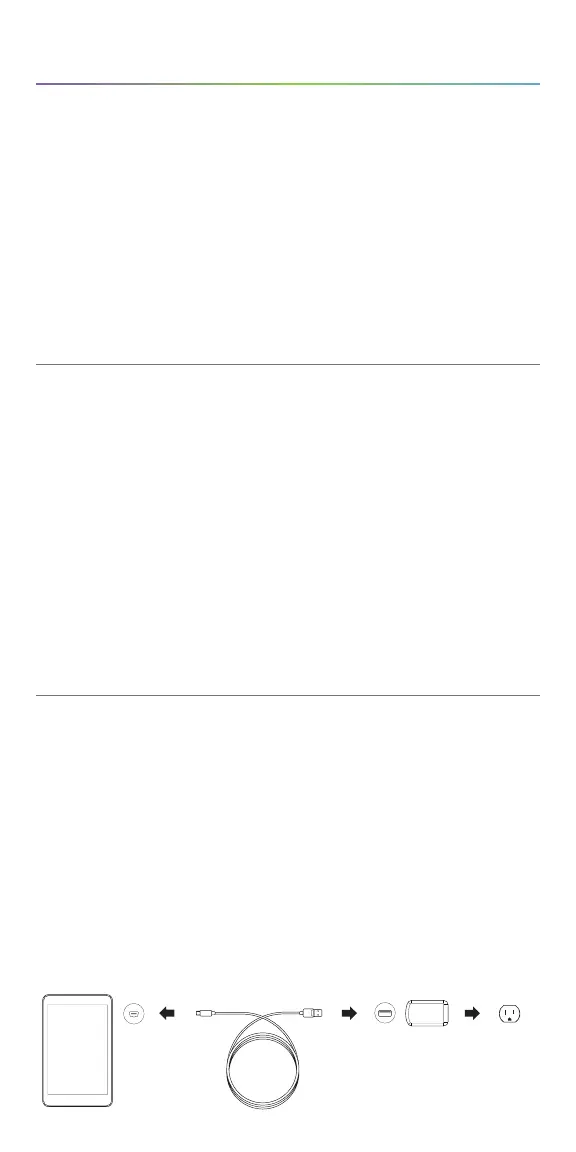
To charge the programmer:
1. Connect the adapter cord to the programmer and to the AC adapter
2. Plug the AC adapter into an outlet
A fully discharged battery may take four to five hours to charge.
Programmer Adapter Cord AC Adapter Outlet
SenTiva System Management



 To Next Page