30
Guided Programming
To enable Guided Programming:
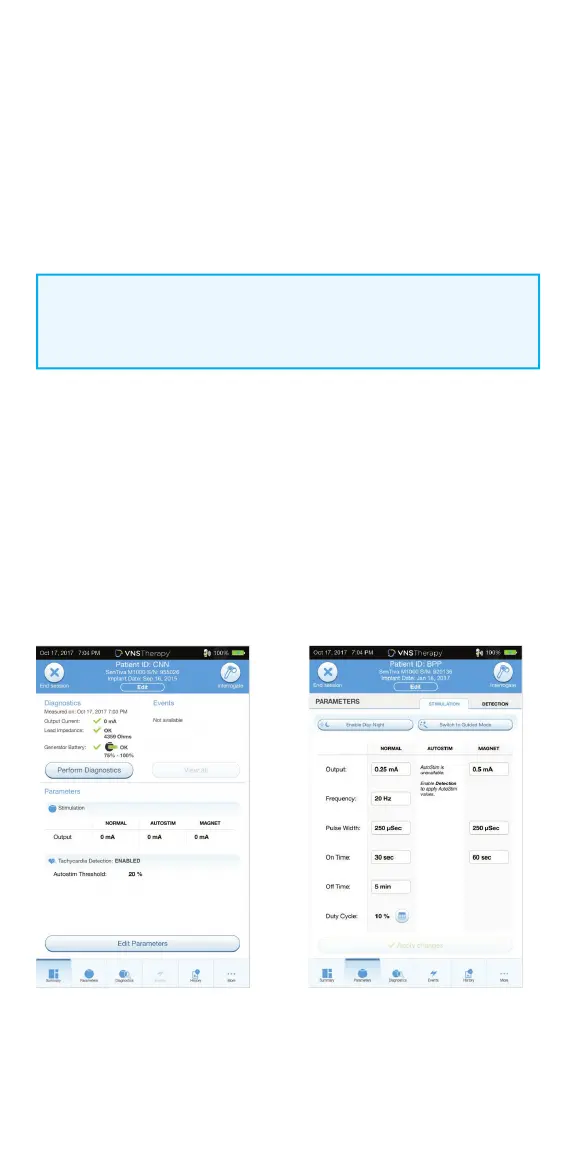
1. From the Summary Screen, tap on the EDIT PARAMETERS button, or tap on
PARAMETERS in the Navigation Bar at the bottom of the screen
2. On the Parameters Screen, tap on SWITCH TO GUIDED MODE button
at top of screen
3. On the Switch to Guided Mode Screen, select STANDARD PROTOCOL.
There is also an option of selecting a custom protocol
4. On the Parameters Screen - Guided Mode View, follow the on-screen
prompts to make selections. Tap APPLY CHANGES before leaving each screen
In Guided Programming mode,
the SenTiva M1000 generator will:
• Keep the current mode,
protocol, and step in memory
• Increase or decrease
parameters to the next protocol
step in response to a single
button
NOTE:
Guided Programming mode is unavailable if Day/Night programming
is enabled.
Use the Guided Programming feature to
adjust parameters to the next step of a
standard or custom protocol. This feature
simplifi es programming by allowing you
to increase or decrease parameters with
a single button. You can exit Guided
Programming at any time to adjust the
parameters manually.



 To Next Page