31
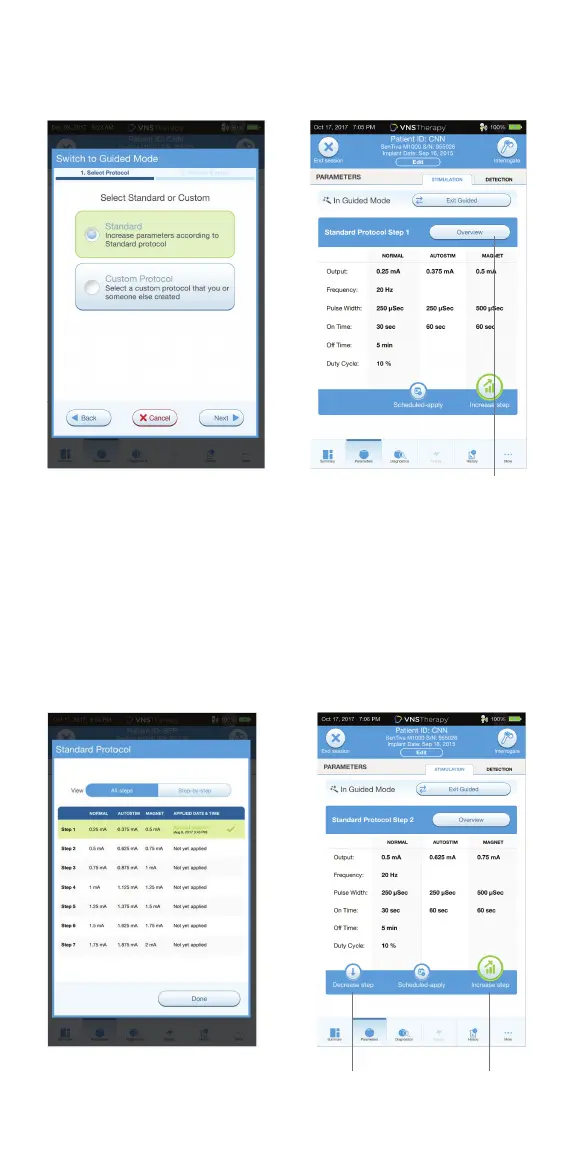
To change parameters in Guided Programming:
1. Select INCREASE STEP to increase parameters to the next protocol step.
Tap APPLY CHANGES to save
2. Select DECREASE STEP to change the parameters to the previous
protocol step. Tap APPLY CHANGES to save
3. To exit Guided Programming, press EXIT GUIDED
To review current therapy protocol steps:
In Guided Mode view, tap on the OVERVIEW button on the right
side of the screen
Overview
Decrease Step Increase Step



 To Next Page