46
DEVICE DIAGNOSTICS
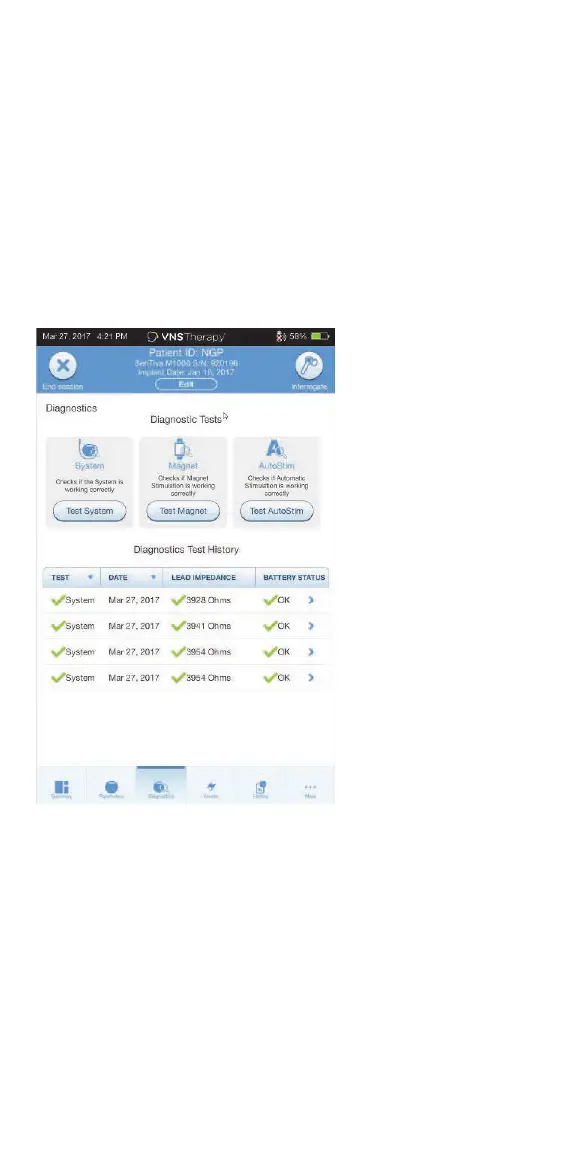
Several Diagnostics tests are available in the programming software to assess
functionality of the implanted system. You may access them after a completed
interrogation by selecting DIAGNOSTICS, or PERFORM DIAGNOSTICS on the
Summary Screen.
Depending on the model of generator interrogated, you may have access to
dierent types of tests. Typical tests include System Diagnostics, Normal Mode
Diagnostics, Magnet Diagnostics, and AutoStim Diagnostics. Make sure to
follow all the instructions on the Programmer screen, as they vary for
each selection.
It is important to note that the tests described in this section are designed for
assessing system functionality using the implanted components. Another test,
Generator Diagnostics, is designed specifically for use with a test resistor and
should only be accessed for troubleshooting scenarios during implantation
surgery. Please see “Troubleshooting” for more details on accessing Generator
Diagnostics.
The various test parameters and their values/meanings across the dierent
diagnostics tests are summarized in the following table.



 To Next Page