51
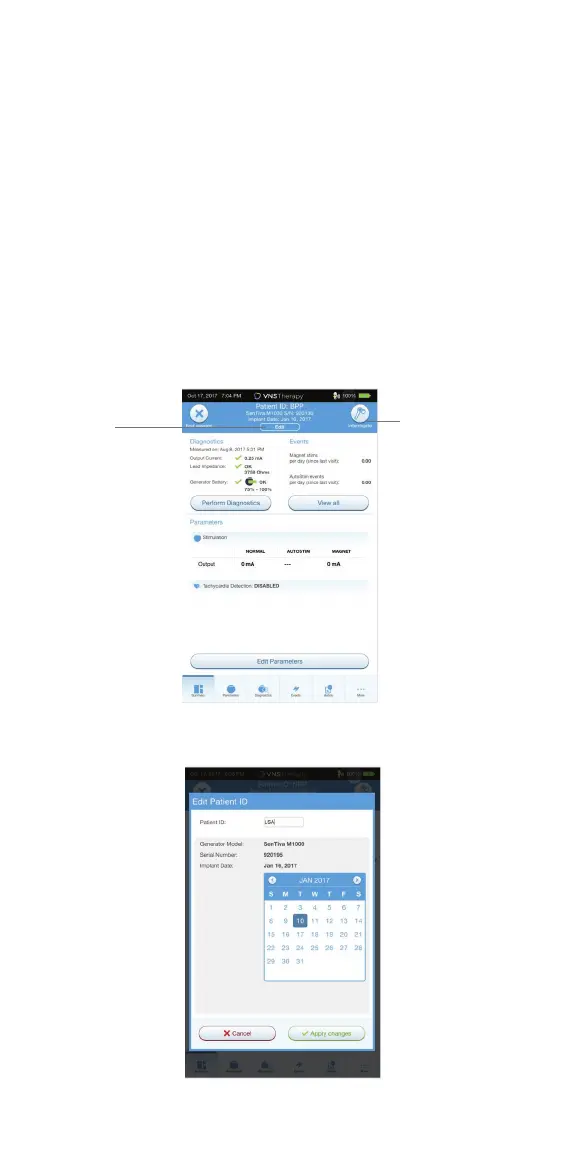
Program Patient ID and Implant Date
Enter or edit the patient data in the programmer during the preoperative
preparation, immediately before surgery. In the Operating Room you will be
prompted to enter the ID upon initial interrogation with the generator.
To enter or edit patient data:
1. Connect the wand to the programmer and interrogate the generator
2. On the Summary Screen, review the patient and generator information that
is displayed in the blue Patient ID bar at the top of the screen. Tap the EDIT
button below the patient information
3. On the Edit Patient ID screen, enter or change information as needed
4. Tap APPLY CHANGES and CONFIRM to enter the data
Patient
ID Bar
Edit
Button



 To Next Page