29
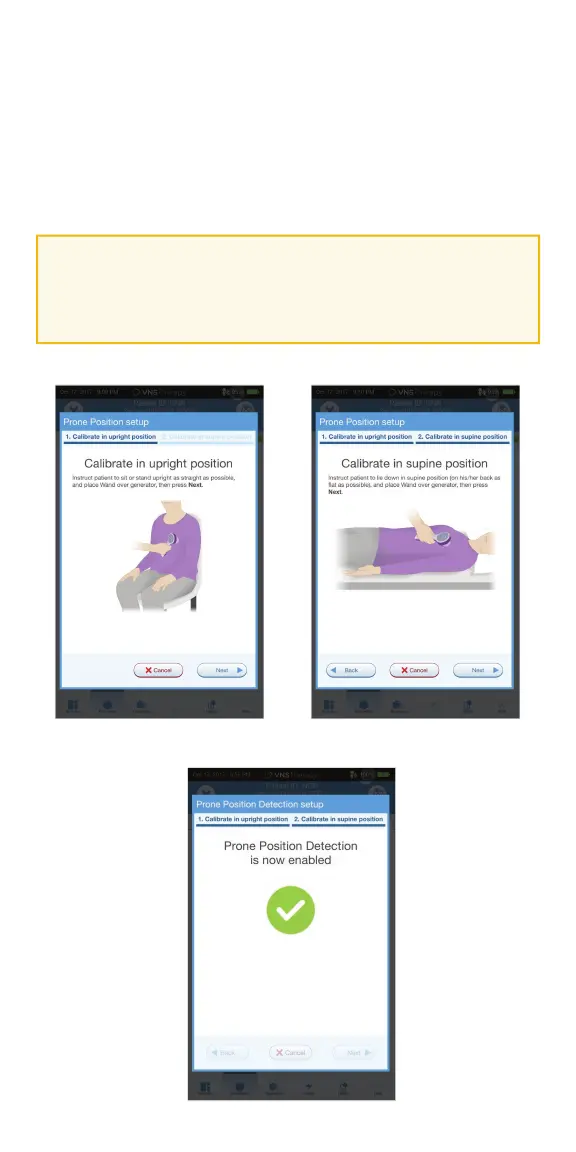
To complete the Prone Position Detection setup:
1. Instruct the patient to sit or stand upright as straight as possible. Place the
wand over the generator and press NEXT on the programmer screen
2. Instruct the patient to lie down fl at on their back in the supine position.
Place the wand over the generator and press NEXT on the
programmer screen
3. Look for the on-screen confi rmation that Prone Position Detection is
now enabled
CAUTION:
Low heart rate and prone position events are for informational purposes
only. Detected events are not to be used for alarms or medical diagnosis.



 To Next Page