28
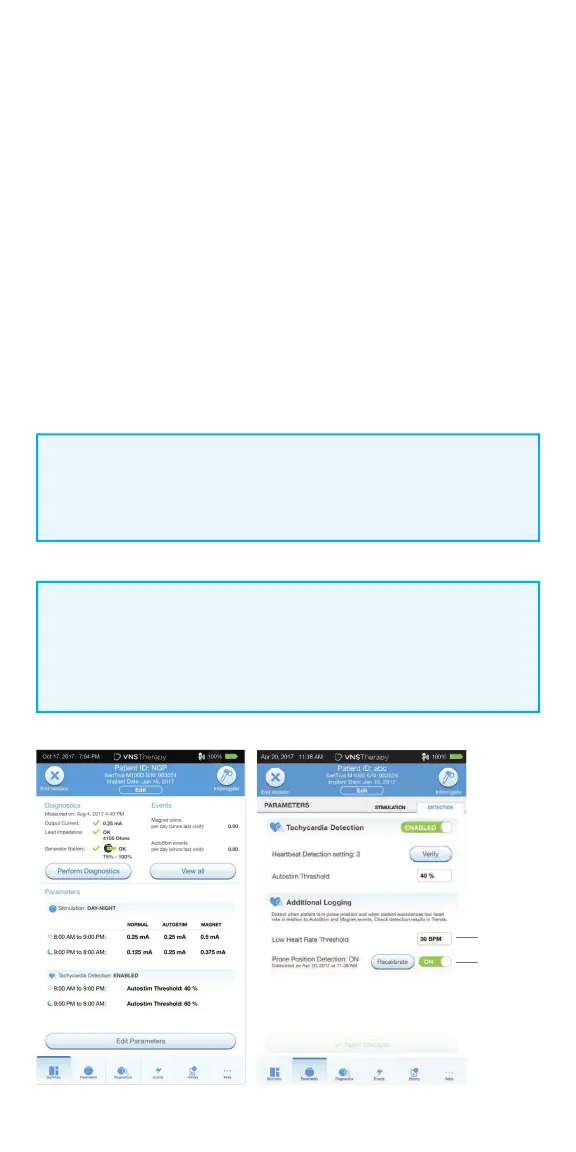
Prone Position/Low Heart Rate Detection
To receive extra patient-specifi c information, you can confi gure the model
1000 generator to log low heart rate episodes and/or the occurrence of prone
position when these events occur within 7.5 minutes of an AutoStim or Magnet
Mode activation.
To enable Prone Position/Low Heart Rate Detection:
1. From the Summary Screen, tap on the EDIT PARAMETERS button, or tap on
PARAMETERS in the Navigation Bar at the bottom of the screen to go to
the Parameters Screen
2. On the Parameters Screen, tap on the DETECTION tab:
• Tap the LOW HEARTRATE THRESHOLD fi eld and select a threshold from
the pop up menu (range 30-60 BPM)
• APPLY CHANGES
• Turn on Prone Position Detection. The programmer will prompt you to
calibrate the generator orientation within the body
NOTE:
At the end of each o ce visit, the generator must be interrogated by
tapping the INTERROGATE button followed by tapping the END SESSION
button to ensure creation and accuracy of the session reports.
Prone
Position
Toggle
Low Heart
Rate
Threshold
NOTE:
Tachyardia Detection must be enabled before this feature can be
enabled/programmed.



 To Next Page