RNS 310, RNS 315
Function buttons and device buttons
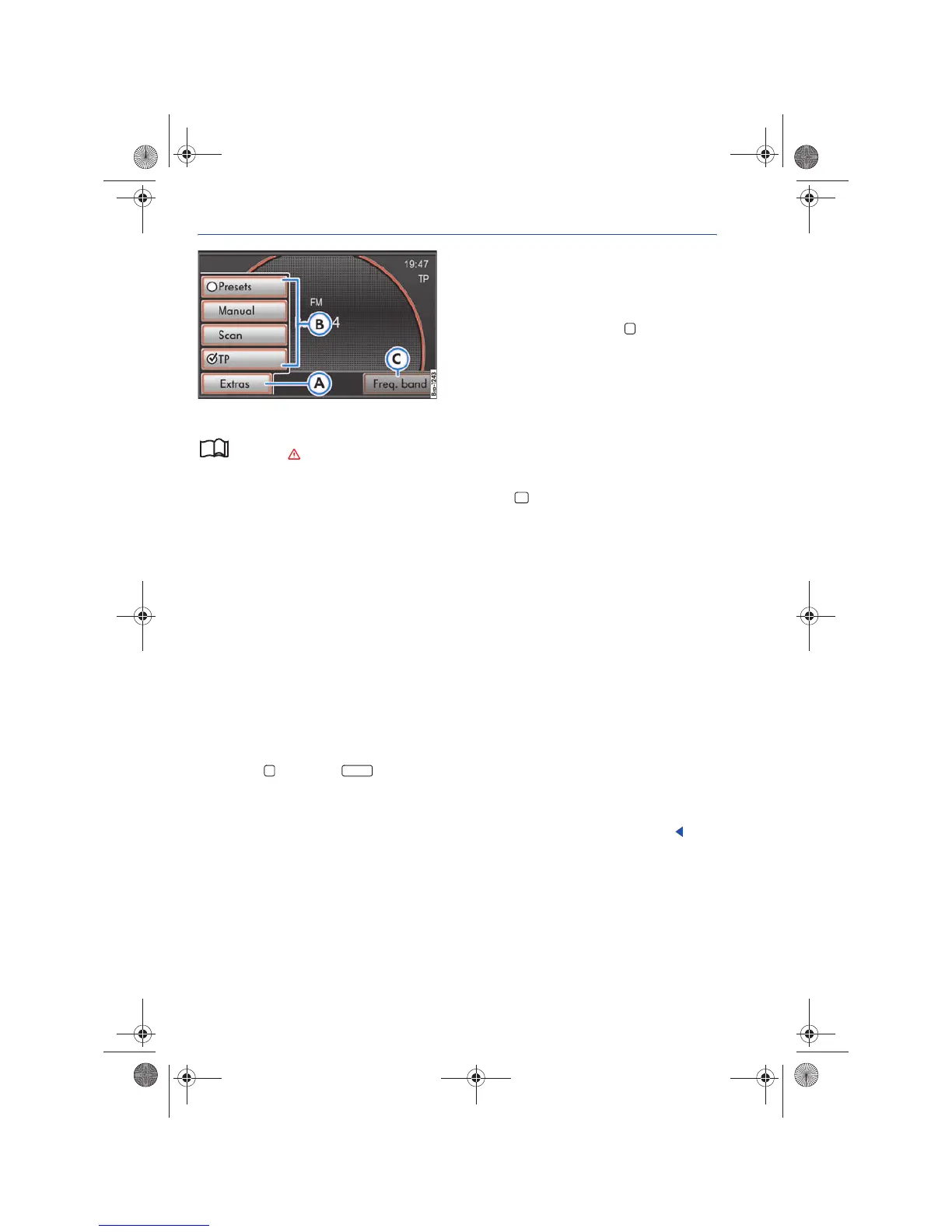
Fig. 2 RADIO main menu with pop-up window.
Please first read and observe the safety in-
structions on page 3 and the introduc-
tory information on page 8.
The device is equipped with a touch screen.
The menu that is currently selected is displayed In
the middle of the bottom screen line.
Controls
• Rotary and push buttons.
• Labeled device buttons.
• Function buttons on the device.
• Function buttons shown on the screen.
Rotary and push buttons
The left rotary and push button ⇒ page 6, fig. 1
is designated Volume control or On-Off switch.
The center rotary and push button ⇒ page 6, fig. 1
is designated Tuning knob.
Device buttons
Buttons on the device are identified in this manual
as “buttons” and are represented as a symbol with
blue content , for example button.
Underneath the screen are two unlabeled device
buttons ⇒ page 6, fig. 1 . Operation and func-
tion correspond to the respective function buttons
⇒ fig. 2 and shown at the top of the screen.
Device buttons are operated by pressing or
holding.
Function buttons on the screen
Active areas of the screen which represent a func-
tion are labeled as “function buttons” and are op-
erated by a brief press on the screen or holding.
Function buttons are described in the manual as
“function button” and with the button symbol.
A function button that is grayed-out cannot be se-
lected, e.g. .
Pop-up window
A “pop-up window” is a small window that ap-
pears for a short time prior to the current menu
and contains additional function buttons.
A function button in a pop-up window can be ac-
cessed by pressing it. The pop-up window then
closes.
Press the button in order to close the pop-up
window without a change.
Launching or activating functions using the
“checkboxes”
Some functions are started or stopped by pressing
the related button, for example the Scan function
⇒ page 14.
Other functions or displays are permanently acti-
vated or deactivated and are marked with a
checkbox.
A check mark in a checkbox indicates that the
function is activated, an empty checkbox , that
it is deactivated.
Functions activated via checkboxes can only be
deactivated by opening the pop-up window again
and deactivating the checkbox.
Selecting function buttons via the tuning knob
With the exception of the two lower function but-
tons and , function buttons that are shown
in the display can also be selected by turning the
tuning knob ⇒ page 6, fig. 1 . Pressing accesses
the respective function button ⇒ page 11.



 To Next Page