Audio mode 13
111.5U6.N31.23
Changing frequency bands
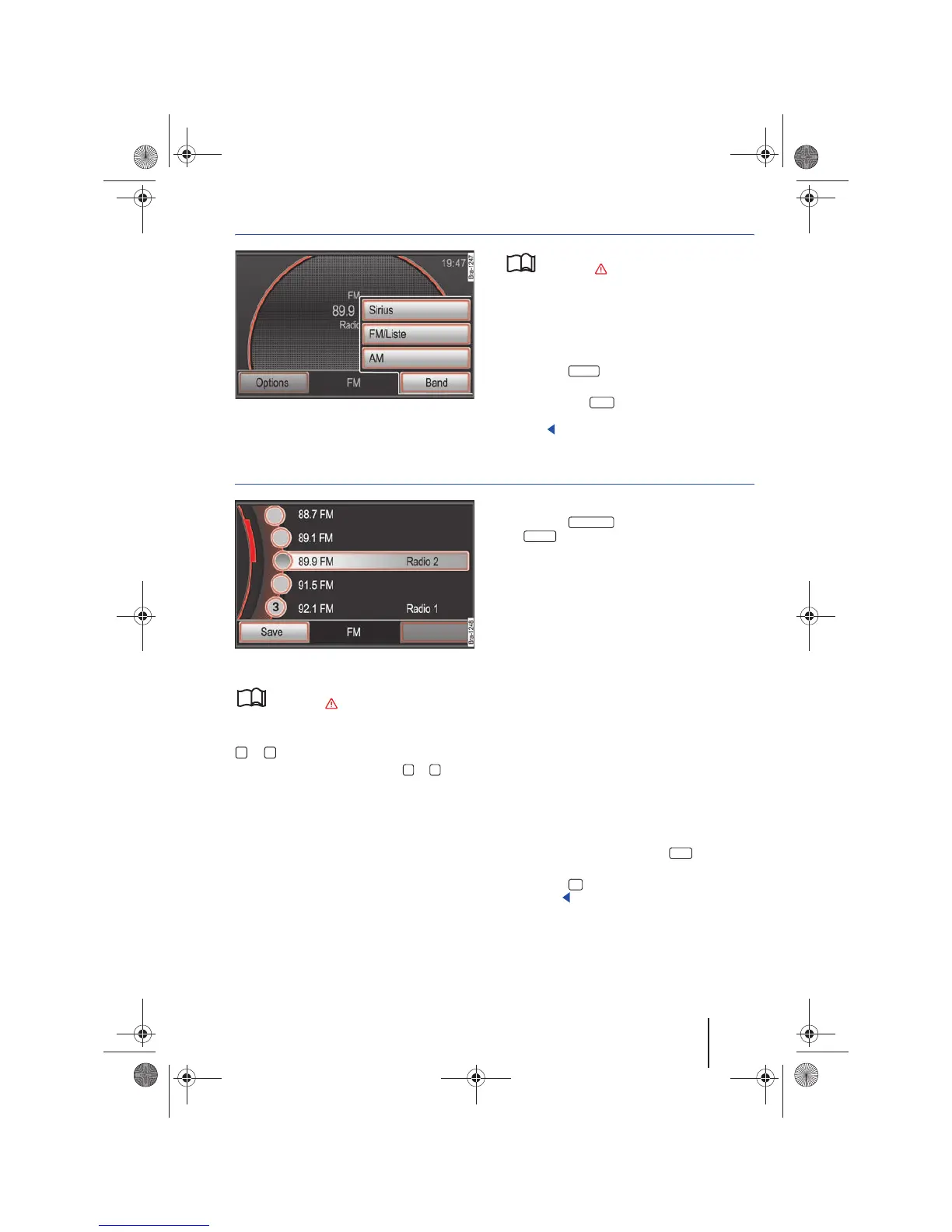
Fig. 6 RADIO main menu: Frequency function button.
Please first read and observe the safety in-
structions on page 3 and the introduc-
tory information on page 12.
The currently selected frequency band (FM or AM)
is indicated above the station name and in the
bottom screen line.
Changing the frequency band
• Press the button in the RADIO main
menu.
• OR: Press the function button and select
the frequency band by pressing a function button
⇒ fig. 6.
Changing radio stations or selecting from the FM station list
Fig. 7 Station List: The current station is highlighted.
Please first read and observe the safety in-
structions on page 3 and the introduc-
tory information on page 12.
Changing the radio station using the arrow button
or .
• Briefly press the arrow button or .
Depending on the the arrow button settings,
⇒ page 20 will only allow you to change between
saved stations (Display:
in ⇒ page 16, fig. 13).
Opening the FM station list
In the FM station list, all FM radio stations with
strong reception are stored automatically. These
can be accessed sequentially or can be selected di-
rectly from the FM station list.
• Change to the FM frequency band ⇒ page 13.
• Press the function button and press
the function button in the pop-up window
⇒ fig. 6.
• ODER: If the display of the station buttons is
deactivated ⇒ page 15, you can go directly to the
station list using the tuning knob ⇒ page 6, fig. 1
.
After one minute of inactivity, the FM station list
display is closed. The FM station list is automati-
cally updated.
No station list is available for the AM frequency
band.
Selecting stations from the FM station list
• Open the FM station list.
• Tag stations one after another by rotating the
tuning knob. Access tagged stations by pressing
the knob ⇒ page 8.
• OR: Move the scroll marker in order to search
the list and press the desired station on the screen
⇒ page 8.
• To save the tagged station, press the station
preset button and then press the ⇒ fig. 7
function button ⇒ page 15.
• Press the button in order to close the FM
station list.
RADIO
Band
Freq. band
FM/ List



 To Next Page