Audio mode 15
111.5U6.N31.23
Displaying and hiding station preset buttons and storing stations
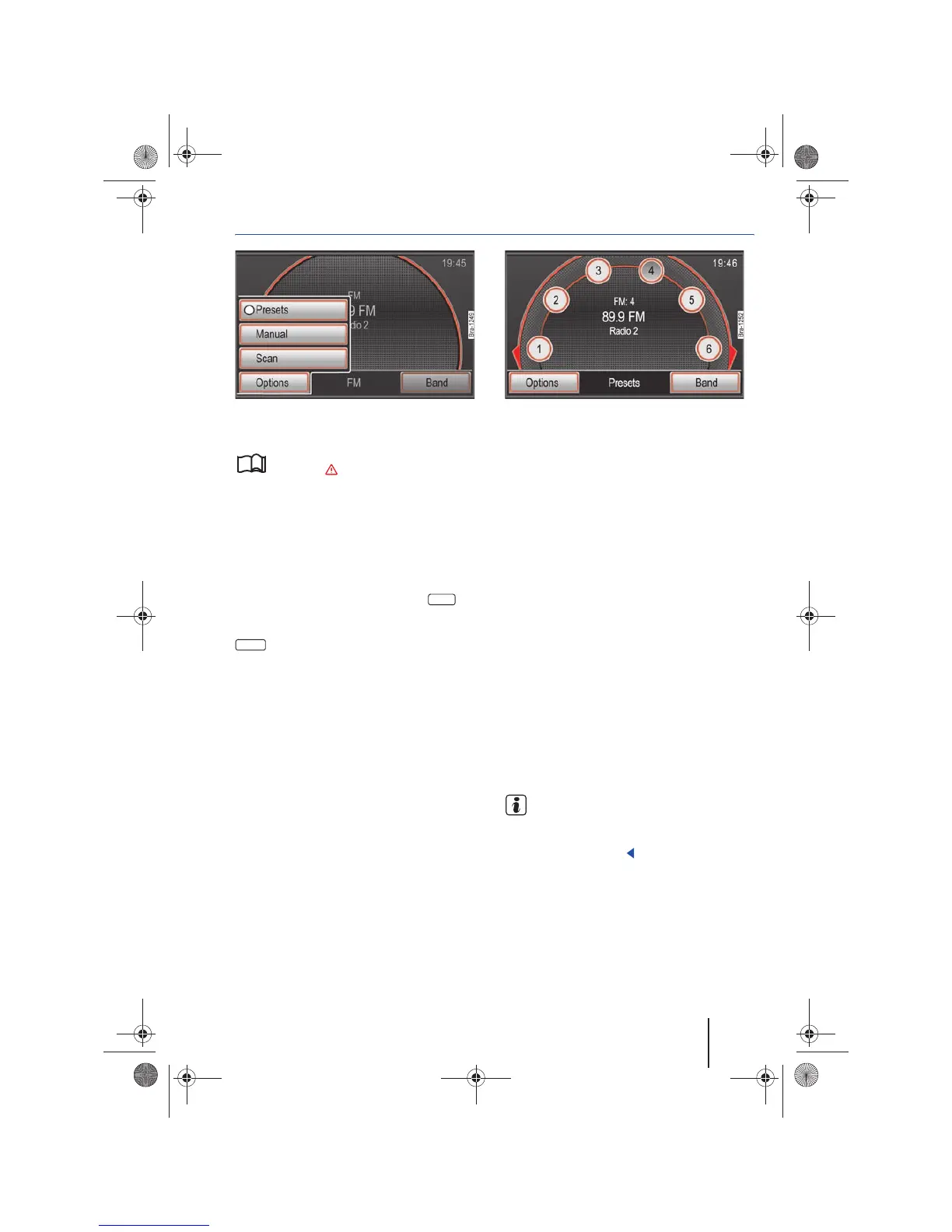
Fig. 11 RADIO main menu: Extras function button. Fig. 12 RADIO main menu with display of the station
preset buttons.
Please first read and observe the safety in-
structions on page 3 and the introduc-
tory information on page 12.
Radio stations can be assigned numbered function
buttons in the RADIO main menu ⇒ fig. 12. These
function buttons are called “station preset but-
tons”. Station preset buttons can be shown or
hidden.
Showing and hiding station preset buttons
• In the RADIO main menu, press the func-
tion button ⇒ fig. 11.
• Activate and deactivate the checkbox in the
function button in order to display or hide
the station preset buttons.
• If the checkbox is activated , six station preset
buttons are displayed in the RADIO main menu
⇒ fig. 12.
• Turn the tuning knob ⇒ page 6, fig. 1 in
order to tag the station preset buttons one after the
other. If the first or last station preset button dis-
played is tagged and the tuning knob is turned fur-
ther, the next six station preset buttons will be dis-
played.
If .
Storing stations to station preset buttons
Storing a station on a station preset button over-
writes the previously saved station.
• Show station preset buttons and select a sta-
tion.
• Press the desired station preset button until a
signal tone sounds.
• The station currently being heard is saved on
this station preset button ⇒ page 16, fig. 13.
• OR: Tag a station preset button by turning the
tuning knob and pressing the tuning knob until a
signal tone sounds.
Alternatively, stations can be saved exclusively by
using the tuning knob.
• Hold the tuning knob until the next free station
preset button is automatically offered for the cur-
rent station.
• Turn the tuning knob to select another station
preset button.
• Briefly press the tuning knob to save the station.
Stations can also be saved via the station list view
⇒ page 13.
All stations stored on station preset buttons can be
deleted individually or collectively ⇒ page 20.
If the station preset buttons are usually not
used for station selection, Volkswagen rec-
ommends hiding them. It is then possible to
switch to the station list directly by rotating the
tuning knob. ⇒ page 13.
Extras
Presets



 To Next Page