Model DMTC22KW
Domestic Charger AC 22kW
→ On Board1 - Connector1, change CHAdeMO to AC;
→ Disable all other Connectors;
→ Click “Save” to save all changes;
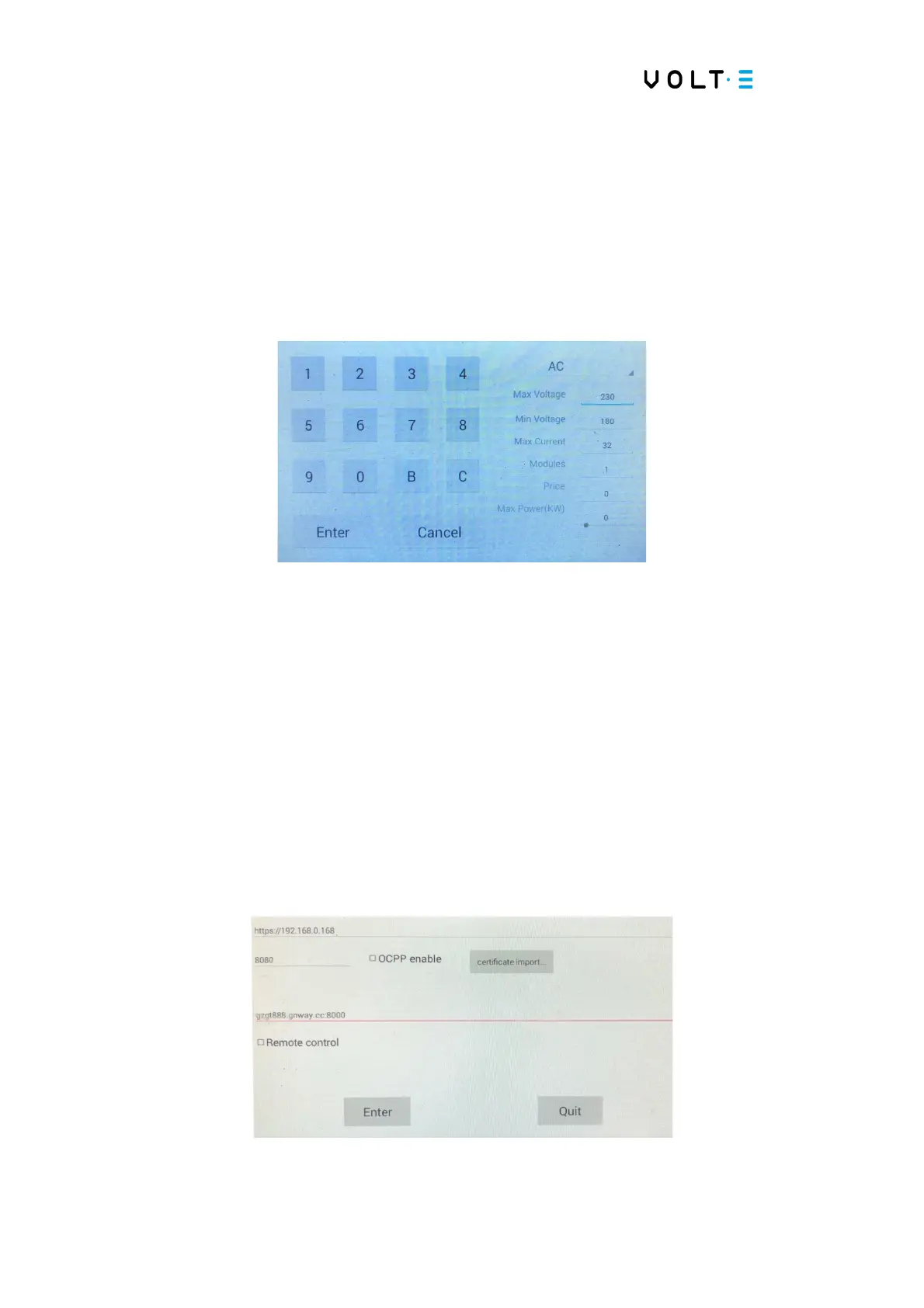
⇒ Base Setting: In this menu, you can configure the output values;
→ Click on “AC1 to configure;
→ To define the maximum voltage, in “Max Voltage”, enter 230; the minimum
voltage, click on “Min Voltage, put 180; the maximum current, in “Max
Current” put 32; The number of modules in “Modules” place 1;
→ Click “Enter”;
→ Click “Enter” to check each value entered and “Cancel” to cancel the change.
⇒ Server Setting: It is mandatory to do this process even if you do not activate OCPP;


 To Next Page