Model DMTC22KW
Domestic Charger AC 22kW
→ Click on the default communication address and change
https://192.168.0.168 into https://192.168.0.169
→ Click "Enter" to confirm any changes and "Quit" to return to the initial
configuration menu.
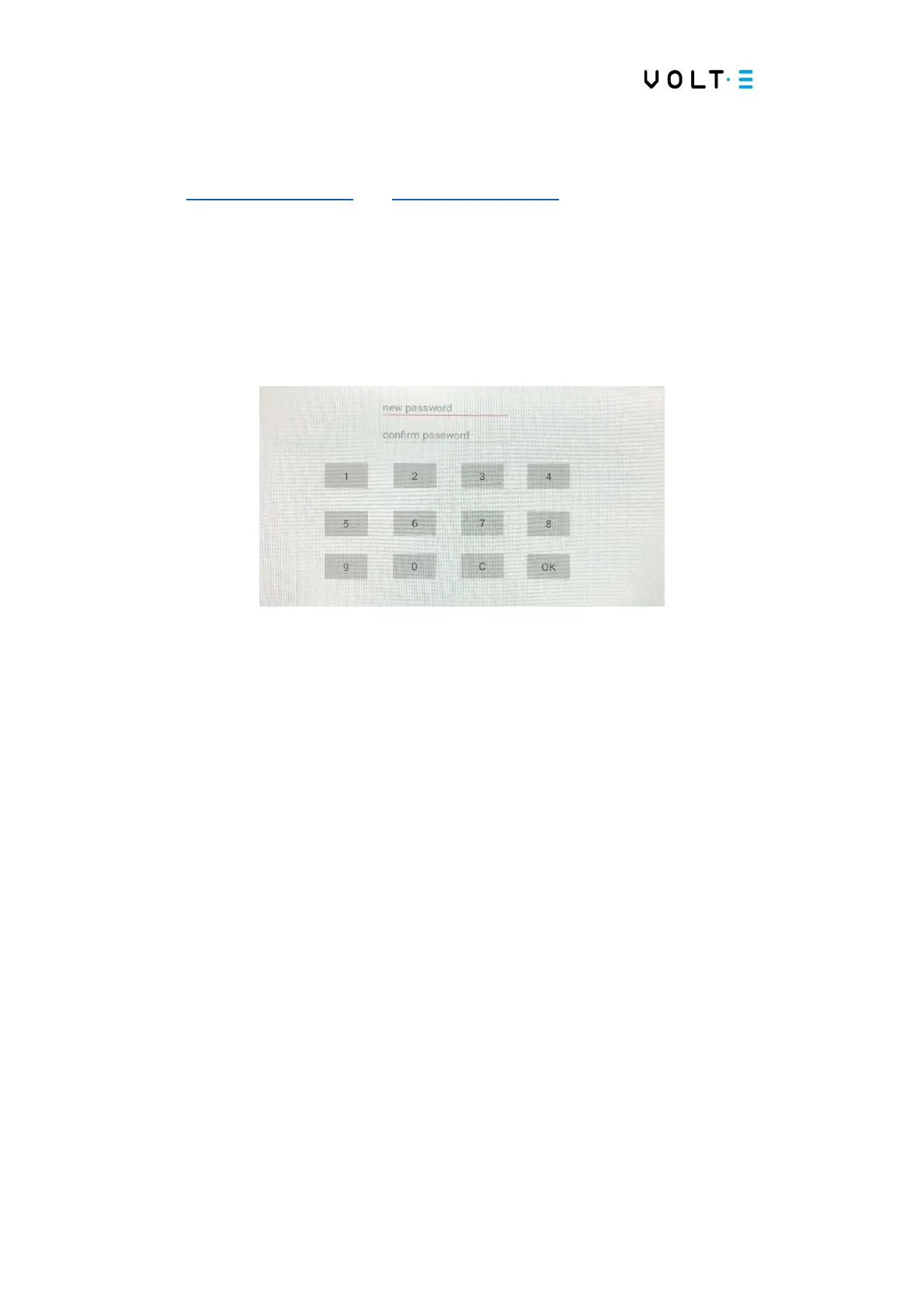
⇒ Change the password: In this menu, you can change the default password to access
the hidden settings menu;
→ Click in the “new password” text field and use the numeric keypad to enter a
new password;
→ Repeat the password entered in the previous field;
→ Click “OK” to save the new password;
→ Click “C” to cancel the option and return to the initial configuration menu;
→ Keep the new password saved correctly, otherwise you will lose access to
the hidden configuration menu.
⇒ Import Key: In this menu you have to import a key to authorize the use of RFID
cards. If you do not have your key yet, please contact VOLT-E. After clicking on this
option, a secondary menu will appear in the middle of the screen and you can select a
file to import the key.
→ After importing the key, turn the station off and on again;
→ At the end of the previous step, the following menu will appear on the
screen:


 To Next Page