Model DMTC22KW
Domestic Charger AC 22kW
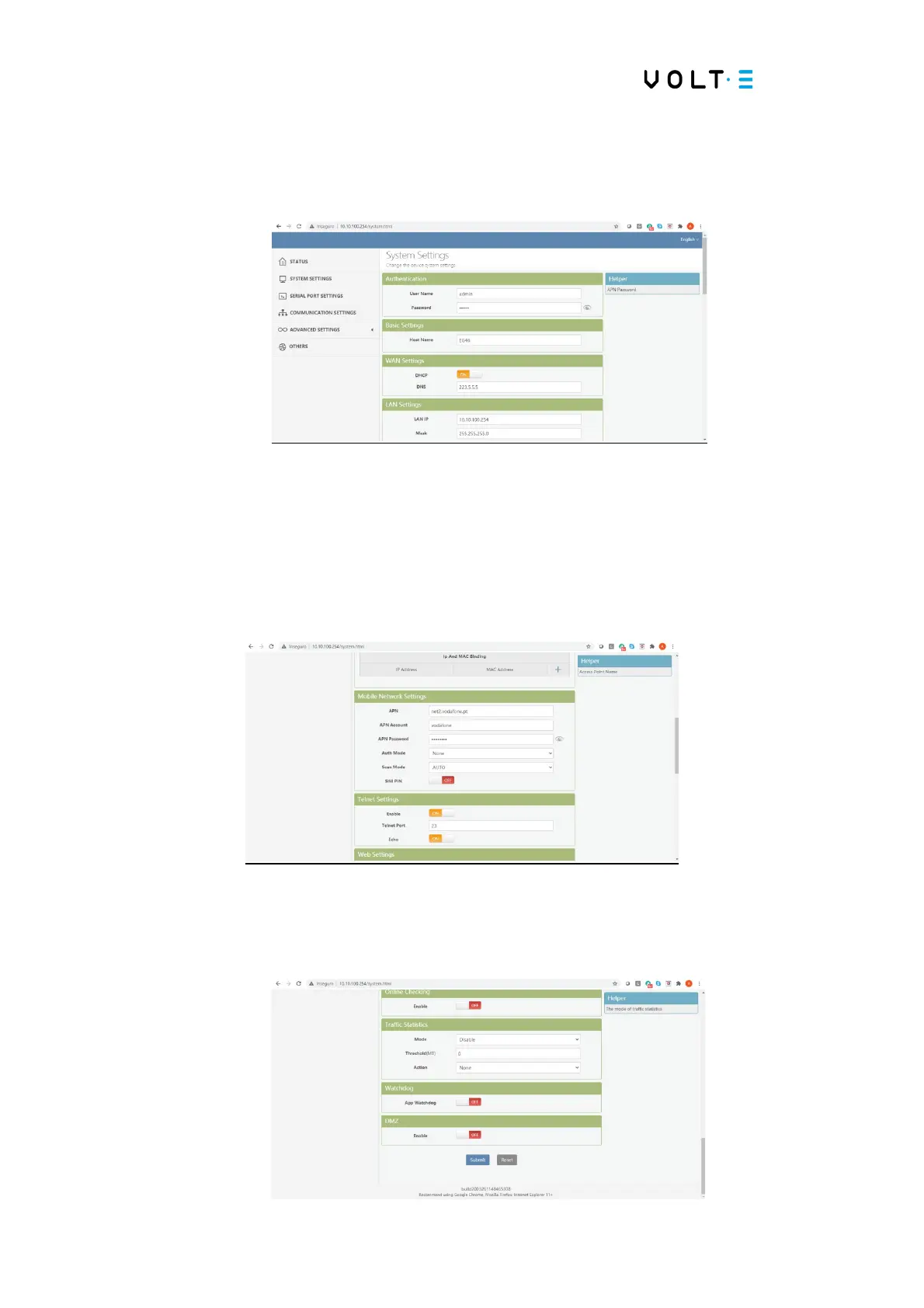
⇒ Definitions of the system – Select the option System Settigns.
⇒ Change the APN– Slide down the System Settings form, and in the Mobile Network
Settings group, change the fields: APN, APN Account and APN Password. Enter the
data provided to you by the operator. Leave the APN Account and APN Password fields
blank, if authentication is not required.
⇒ Data recording - scroll through the form until the end and press the Submit button.


 To Next Page