INFOTAINMENT
}}
75
Wi-Fi
1. Activate tethering (portable/personal hot-
spot) in the cell phone.
2.
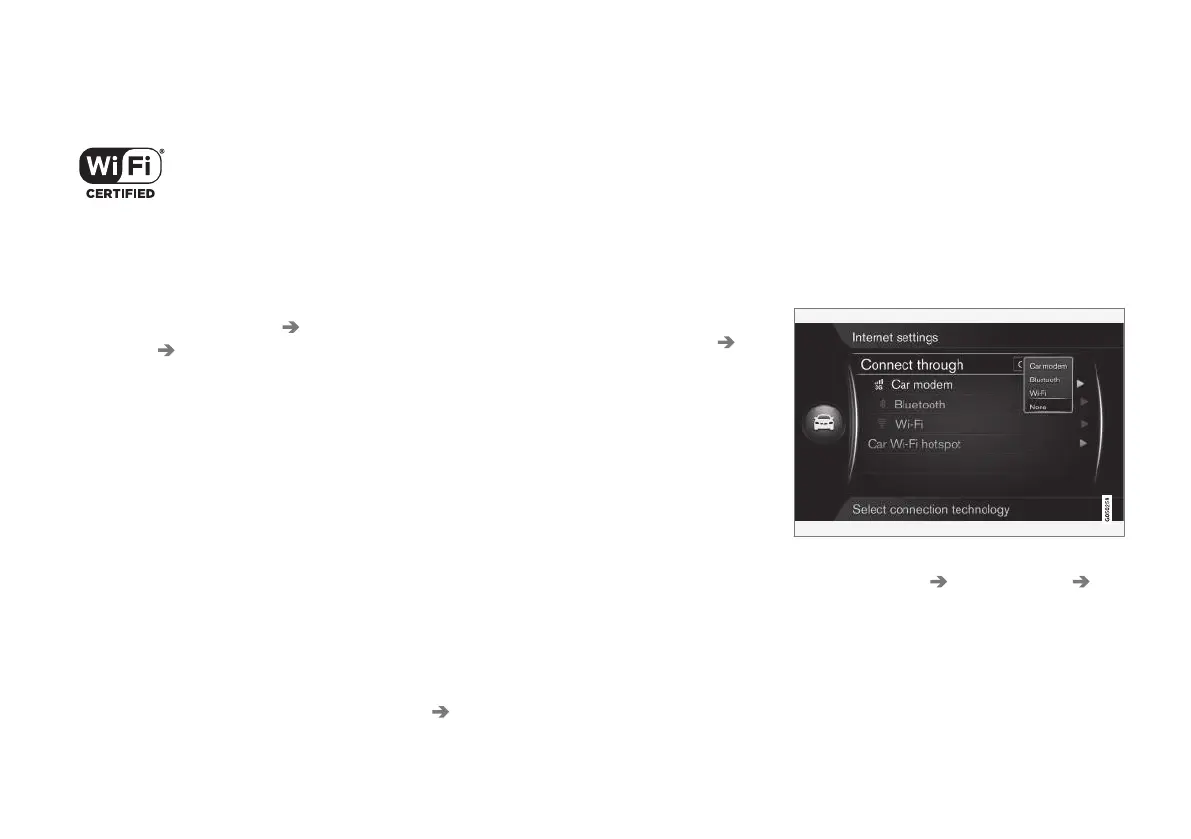
From MY CAR’s normal view, press OK/
MENU and select
Settings Internet
settings
Wi-Fi.
> This starts a search for available Wi-Fi
networks.
3. Select your network.
4.
Select
Connect.
5. Enter the network password.
> The vehicle will attempt to connect to the
network.
The system will then automatically connect via
Wi-Fi when the network is available.
A symbol on the screen (p. 32) will show the cur-
rent status of the connection.
Please be aware that certain cell phones disable
tethering when the connection to the vehicle has
been broken, e.g., when the phone has been
removed from the vehicle. In such cases, the
phone's tethering function will have to be reacti-
vated the next time the phone is used to connect
to the Internet.
To disconnect, see the section "Disconnecting".
The vehicle can store information on a maximum
of 10 Bluetooth
®
networks. If another network is
added, the oldest network and password will be
removed from the list.
Removing a saved Wi-Fi network
1.
Press the MY CAR button to display the
source's normal view.
2.
Press OK/MENU and select
Settings
Internet settings.
3.
Select
Wi-Fi.
> A list of available networks will be dis-
played.
4. Select the network to be removed from the
list.
5.
Select
Forget.
> The system will no longer automatically
connect to this network.
Removing all networks
All networks can be removed simultaneously.
Please note that this will also reset all user data
and system settings to the factory defaults.
To return to the factory defaults, from MY CAR’s
normal view, press OK/MENU. Select
Settings
Reset to factory settings.
Wi-Fi technology and security
The vehicle can be connected to a Wi-Fi network
at a frequency of 2.4 GHz. If several devices are
using this frequency simultaneously, this may
result in reduced performance.
•
Frequency: 2.4 GHz.
•
Standards: 802.11 b / g / n.
•
Encryption protocol: WPA2-AES-CCMP.
Disconnecting
From MY CAR’s normal view, press OK/MENU
and select
Settings Internet settings
None. The vehicle will not connect to the Inter-
net.
Internet connection problems
The amount of data being transferred is deter-
mined by the services or apps being used in the
vehicle. For example, streaming audio may



 To Next Page