17
• Once you’ve selected OFF (or ON), press TIME/
SET to confirm your selection. The voice prompt will
say: “ANNOUNCE ONLY IS OFF (or ON)”.
You can now program the other 5 functions.
Note - Please follow the Record Outgoing Message
instructions below to record your Announce Only
message.
Record Outgoing Message
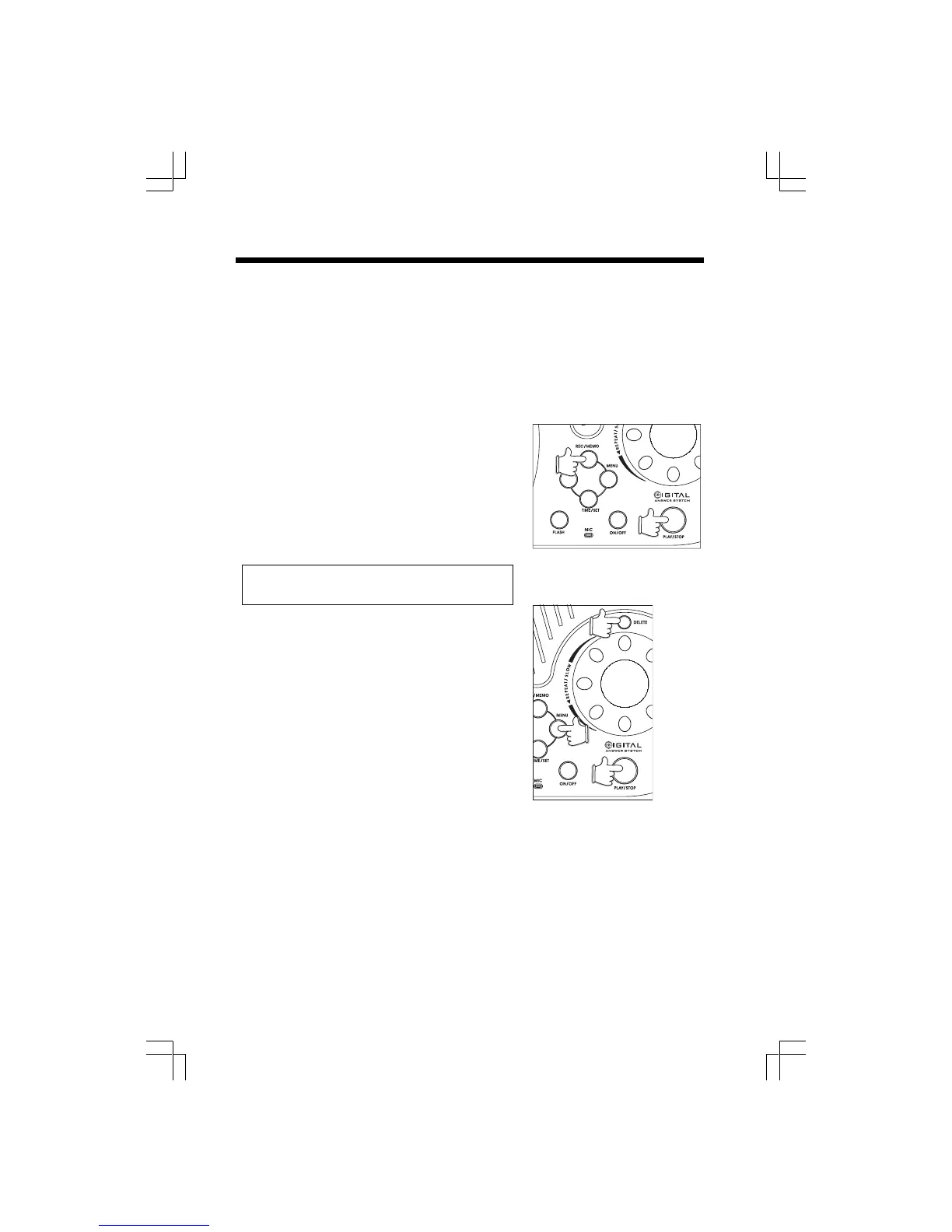
• Press MENU until you hear “ Record Outgoing
Message.”
• Press REC/MEMO. The voice prompt will say “ N ow
recording”, following by a tone.
• Begin speaking after the tone, towords the front edge
of the Base Unit. The Base Unit display becomes a
timer as you record your outgoing message.
• Your outgoing message must be longer than 2
seconds.
Note: Your outgoing message can be up to 90
seconds.
• When done, press PLAY/STOP. Your outgoing
message will automatically be played back.
• If you would like to re-record your outgoing message,
simply repeat the above steps.
• If you would like to return to the factory-set outgoing
message.
• Press MENU. The voice prompt will say “ Record
outgoing message”.
• Press PLAY/STOP. The outgoing message will begin
playing.
• Press DELETE while your outgoing message is
playing. The voice prompt will say “Outgoing message
deleted”.
• Press MENU to go to the next programming function.
Setting up your gz 2456 Digital Answering System











 To Next Page