24
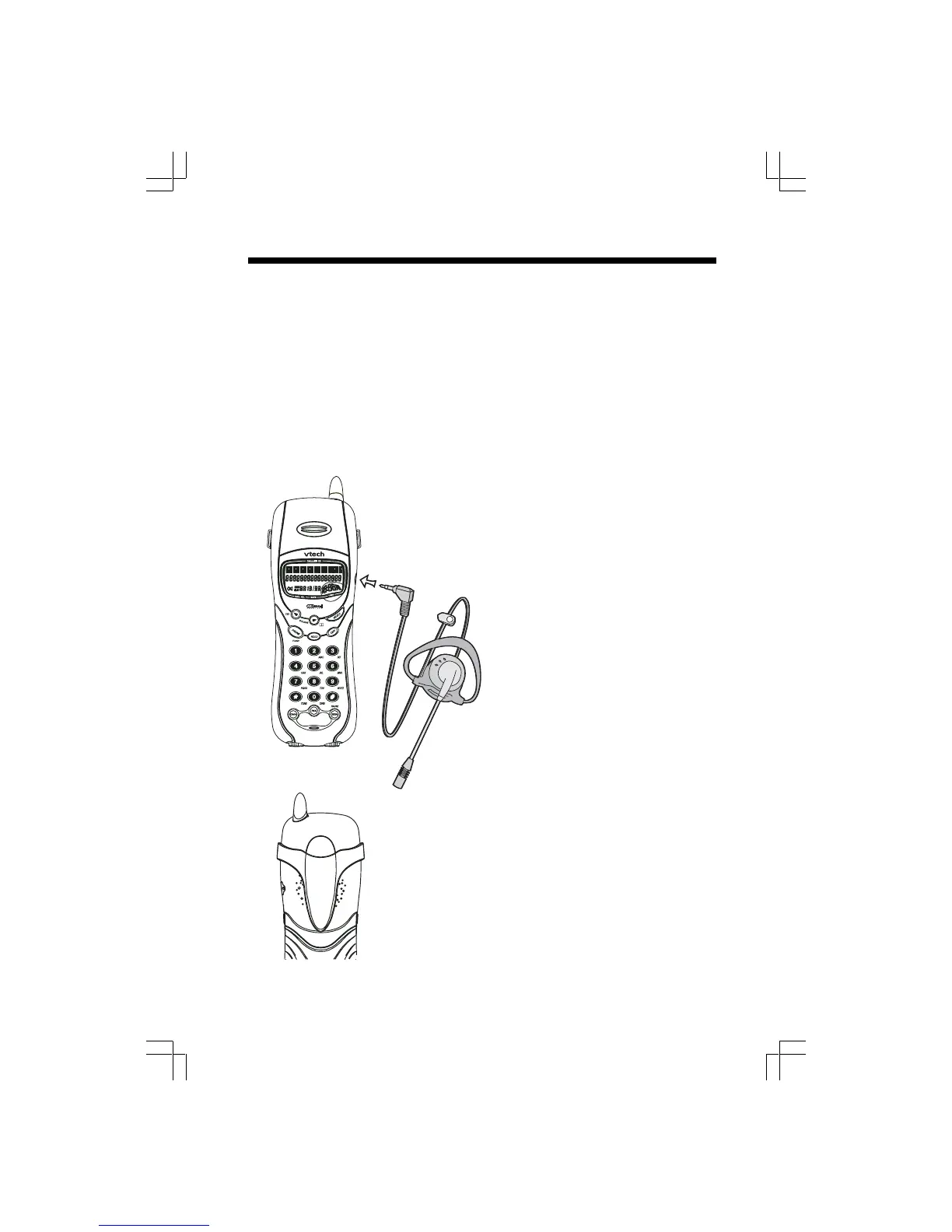
Belt Clip
The gz 2456 is also equipped with a
detachable belt clip. Align the pins on the
inside edge of the clip with the notches
on the sides of the Handset. The belt
clip should snap securely into place. Do
not force the connection.
For Customer Service, call 1-800-595-
9511. Please retain your receipt as your
proof of purchase
Headset Operation
To purchase a Headset, call VTech Customer Service at 1-800-595-9511.
Once you have a compatible 2.5mm Headset, locate the Headset Jack on the gz 2456
Handset. Connect the plug on the Headset cord to the jack (under a small rubber
flag) on the cordless Handset. The plug should fit securely. Do not force the
connection.
NOTE :
Whenever a compatible Headset is connected to the cordless Handset, the
microphone on the Handset will be muted. This is done to limit the effect of background
noise.











 To Next Page