18
Vu :
Your Smart Linux TV Player
+
Vu User Manual
+
3. Connecting Power
A power cord is provided as one of the basic accessories of Vu+.
1
Connect the power cord to the connector at the rear panel of Vu+.
2
Connect the power cord to a power outlet.
3
Turn on the power switch at the rear panel.
NOTE : AC input condition
• Nominal Voltage Range: 100 – 240 VAC
• Maximum Voltage Range: 90 – 264 VAC
• Nominal Frequency: 50 / 60 Hz
• Maximum Frequency Range: 47 – 63 Hz
NOTE :
i
means Remote control operation order.
4. Power ON/OFF
[
i
: Press Power key / Press MENU > Select Standby/Reset]
There are several ways to turn your Vu+ ON or OFF
� Complete Power Shutdown
There is a Power Switch in the rear panel and once it is ON, you do not need to turn it on or off each time.
It takes a longer time to boot the system if you turned it off by this switch.
� Standby Mode
POWER key is normally used to turn the power of Vu+ on or off. If you press
POWER
, it instantly
switches your Vu+ off or on. In this mode, the system is not completely shutdown and thus it takes a
shorter time to turn it on and off.
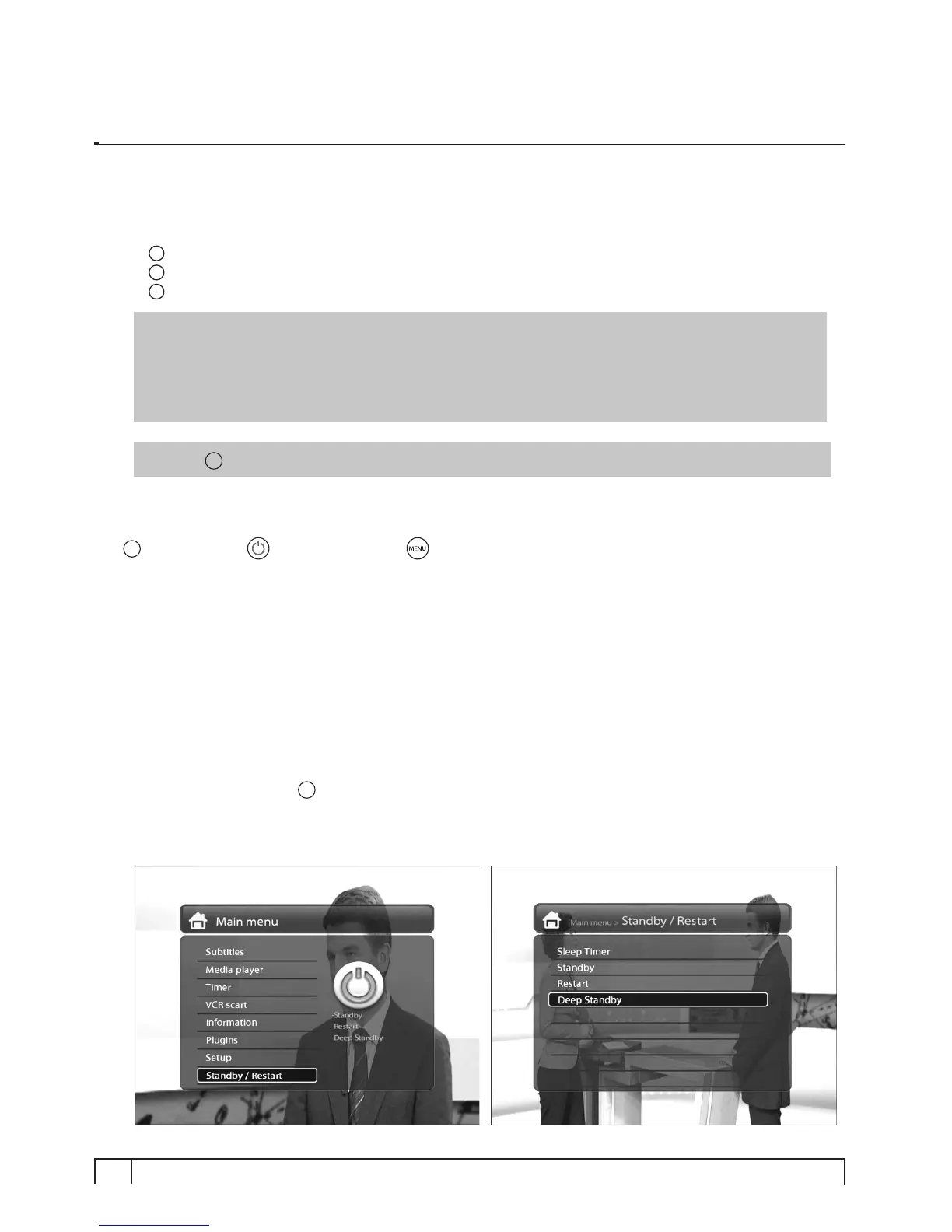
� Deep Standby Mode
[
i
: Menu > Standby/Restart > Deep Standby]
Deep Standby is used to reduce the standby power consumption. Vu+ is designed to be energy
efficient and to guarantee the power consumption to be under 1W in the deep standby mode.


 To Next Page