39
Vu User Manual
+
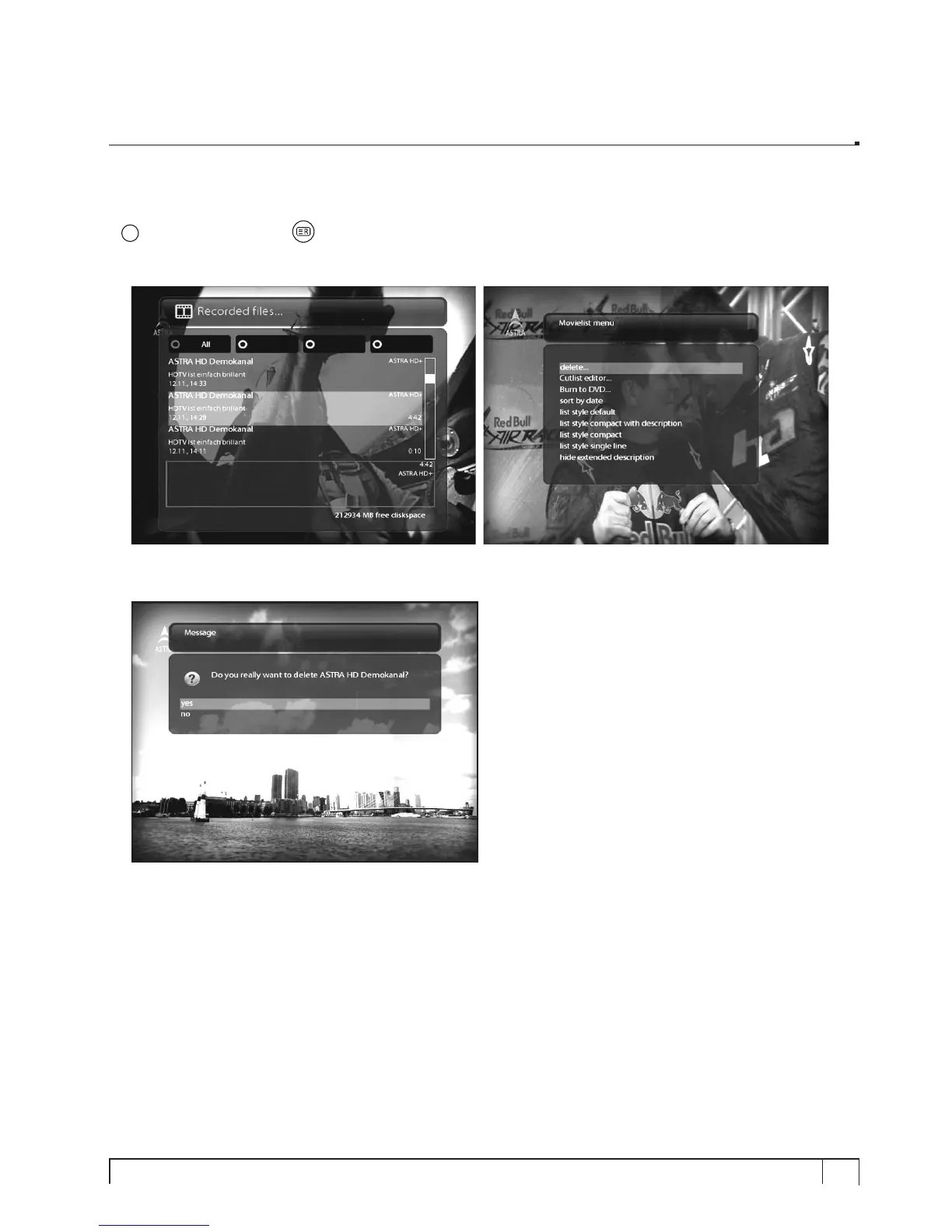
12. Managing Recording Files
[
i
: Press Recording List key > Press MENU key]
If you want to delete a recording file, press
MENU
key while Recorded file menu is on.
Select “
Delete
” and confirm
OK
to delete.
Other than “
delete
”, in this menu, you have options in sorting and listing of the recording files.
- Sort by date
- List style default
- List style compact with description
- List style compact
- List style single line
- Hide extended description.


 To Next Page