19
Vu User Manual
+
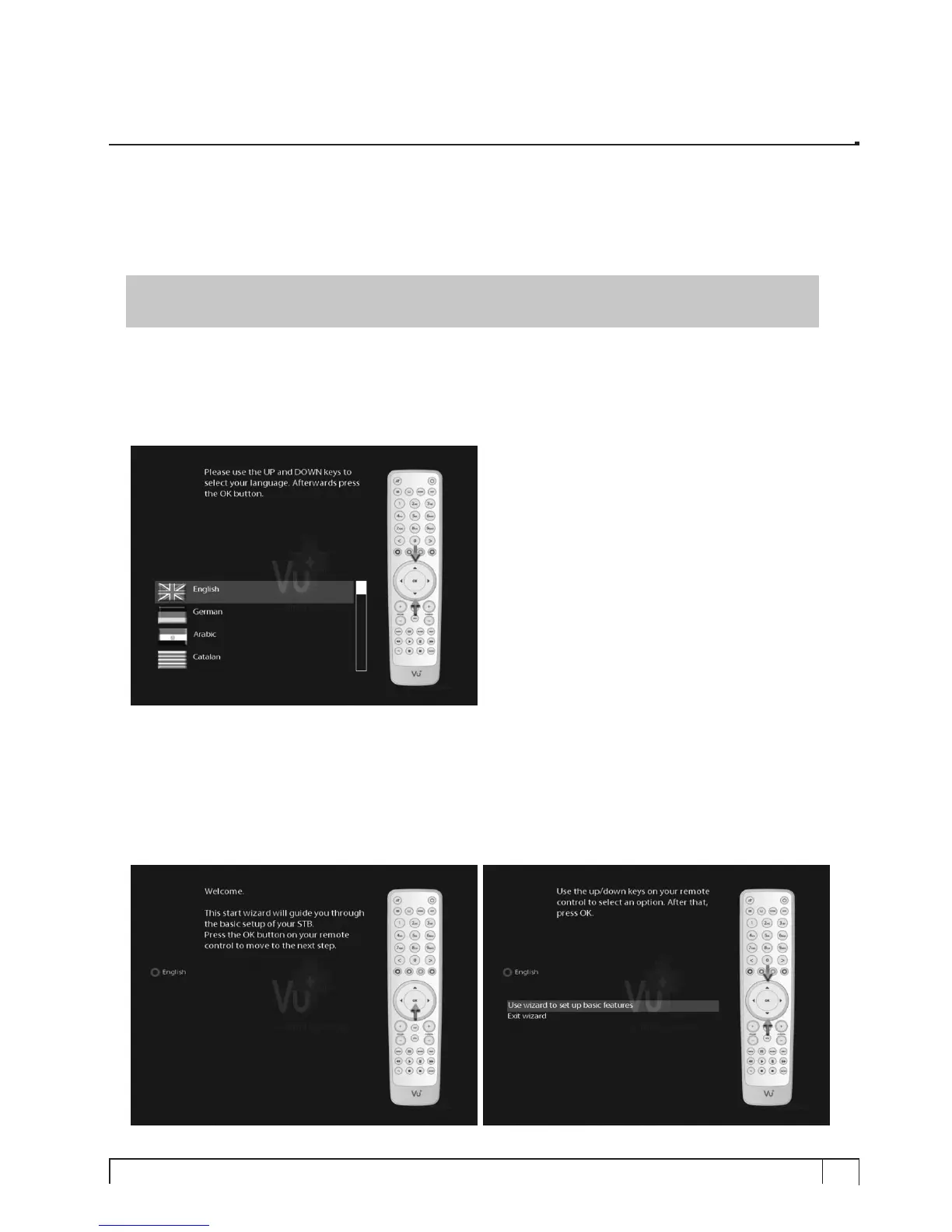
When you turn on Vu+ for the first time after purchase, an installation wizard will begin step by step.
NOTE :
OK
key is used for confirmation and turns to the next step. Pressing
EXIT
key to return to the
previous page.
Step 1. Language Selection
Vu+ provides various languages and here you can choose the main language for your Vu+. Use
UP/DOWN
key to scroll up and down to find the language you want.
Step 2. Configuring Satellite Connection
From now on you need to configure the satellite connection. You have two options:
• Use wizard to set up basic features
• Exit wizard
You are strongly recommended to use wizard as it is designed to guide you through the configuration process.
II. First Time Installation (using Wizard)


 To Next Page