30
Vu :
Your Smart Linux TV Player
+
Vu User Manual
+
5
Choose “add service to favourites” and press
OK
.
6
Go to the
Favourites
list by pressing
BLUE
to confirm that the selected channel is correctly included
in the list.
8. Electronic Program Guide (Event View)
[
i
: Press EPG key]
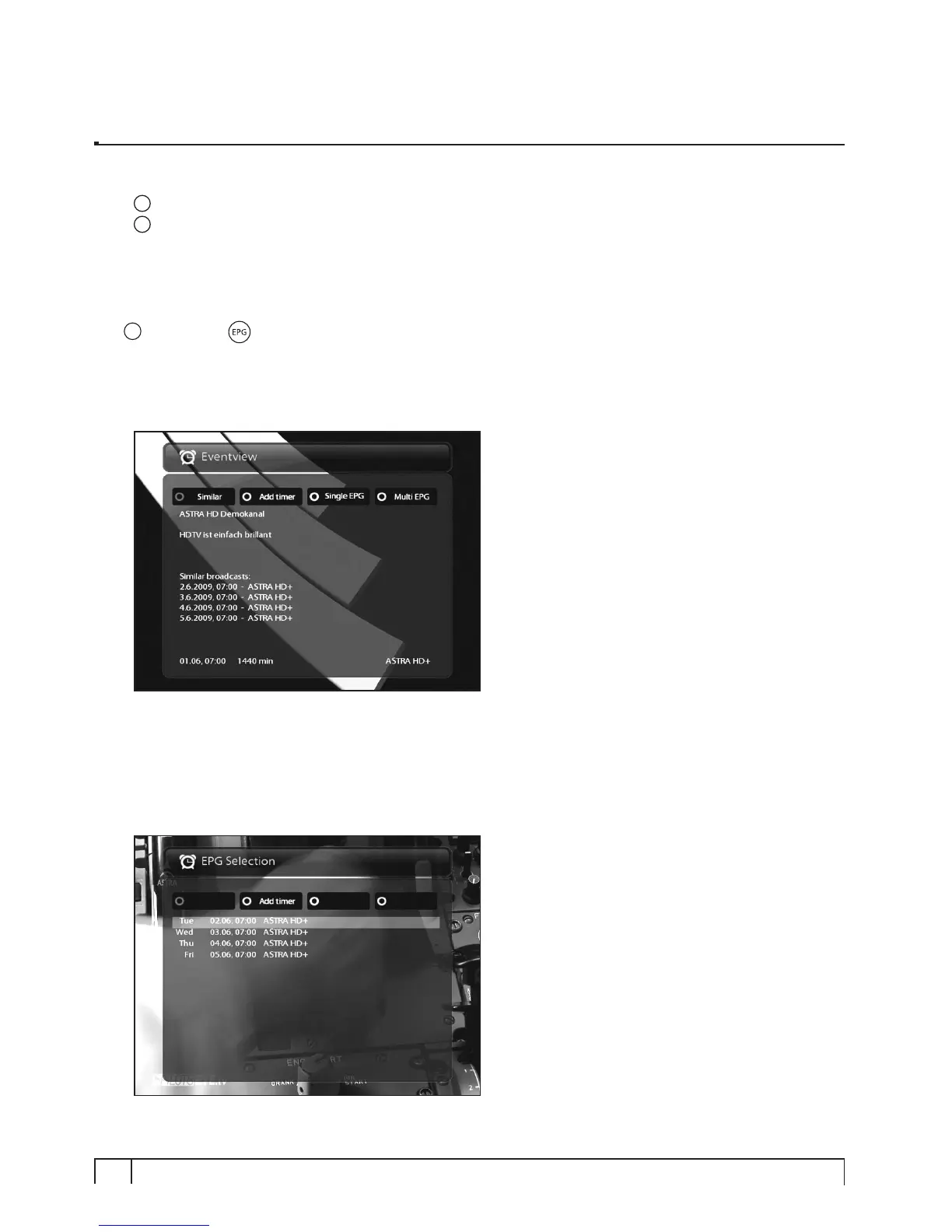
The Electronic Program Guide (EPG) displays the program information of each channel, if provided, in time
and date order. You can view the detailed program information by pressing
EPG
key and the following
menu,
Eventview
appears.
Detailed information of the current channel will be displayed on EPG. On this menu, three options are
provided.
• RED (Similar)
This option helps you find similar programs. If there are one or more programs that are similar to the
current program, EPG Selection window displays them as below.


 To Next Page