34
Vu :
Your Smart Linux TV Player
+
Vu User Manual
+
10. Recording
Vu+ is a Personal Video Recorder with two integrated DVB-S2 tuners. You can record multiple programs at
the same time. There are two ways to operate and manage recording.
1
Instant Recording
[
i
: Press RED or REC key]
Press
RED
or
REC
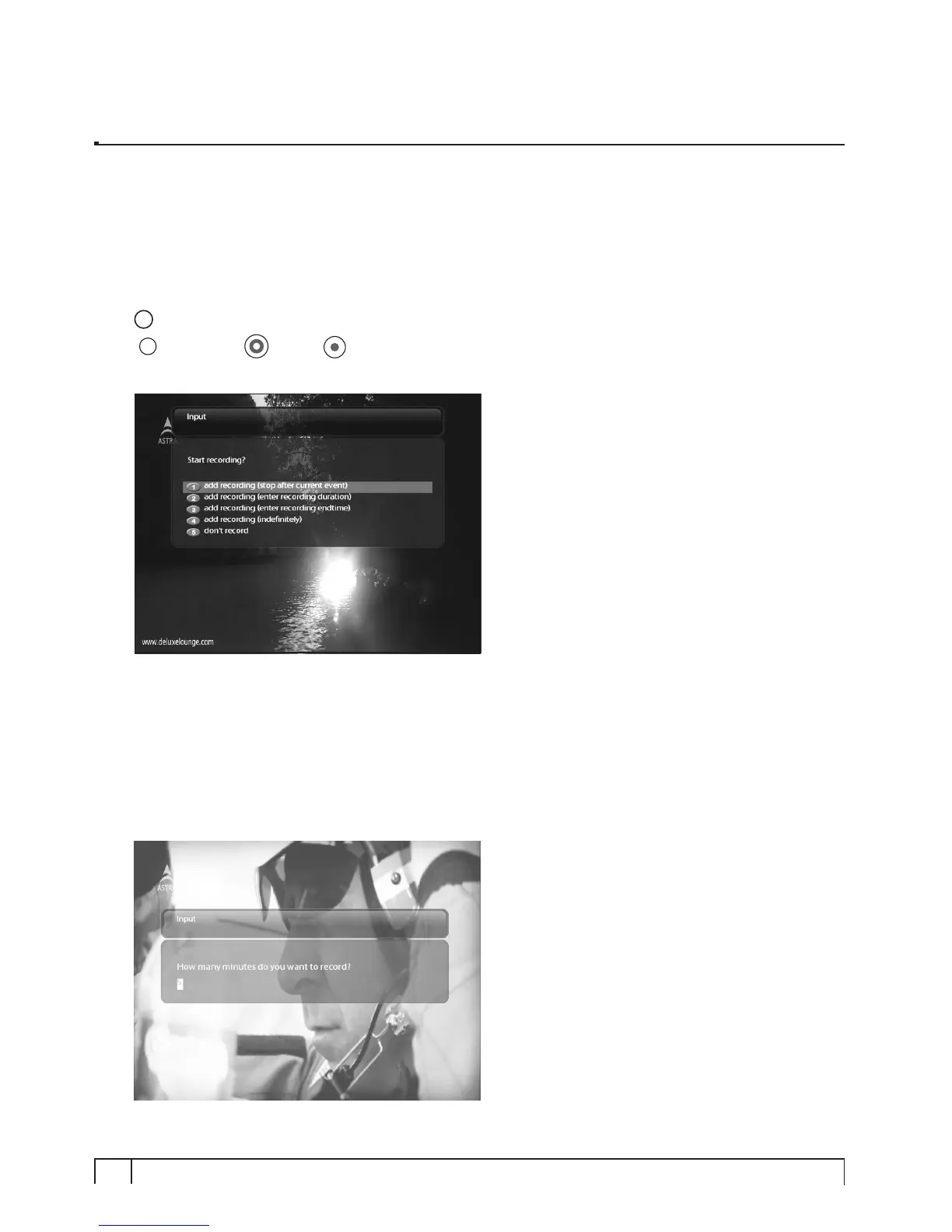
key to start the recording of the current program.
Five recording options are given.
- Add recording (stop after current event)
This option is used when you want to end recording when the current program ends.
- Add recording (enter recording duration)
This option is used when you want to manually set the length of recording by entering a certain number as
below:


 To Next Page