35 vwr.com I Instruction manual VWR
®
PCR Cycler XT
96
By unchecking the checkbox 'Auto Login'
an obligatory Login request appears,
when turning on the instrument.
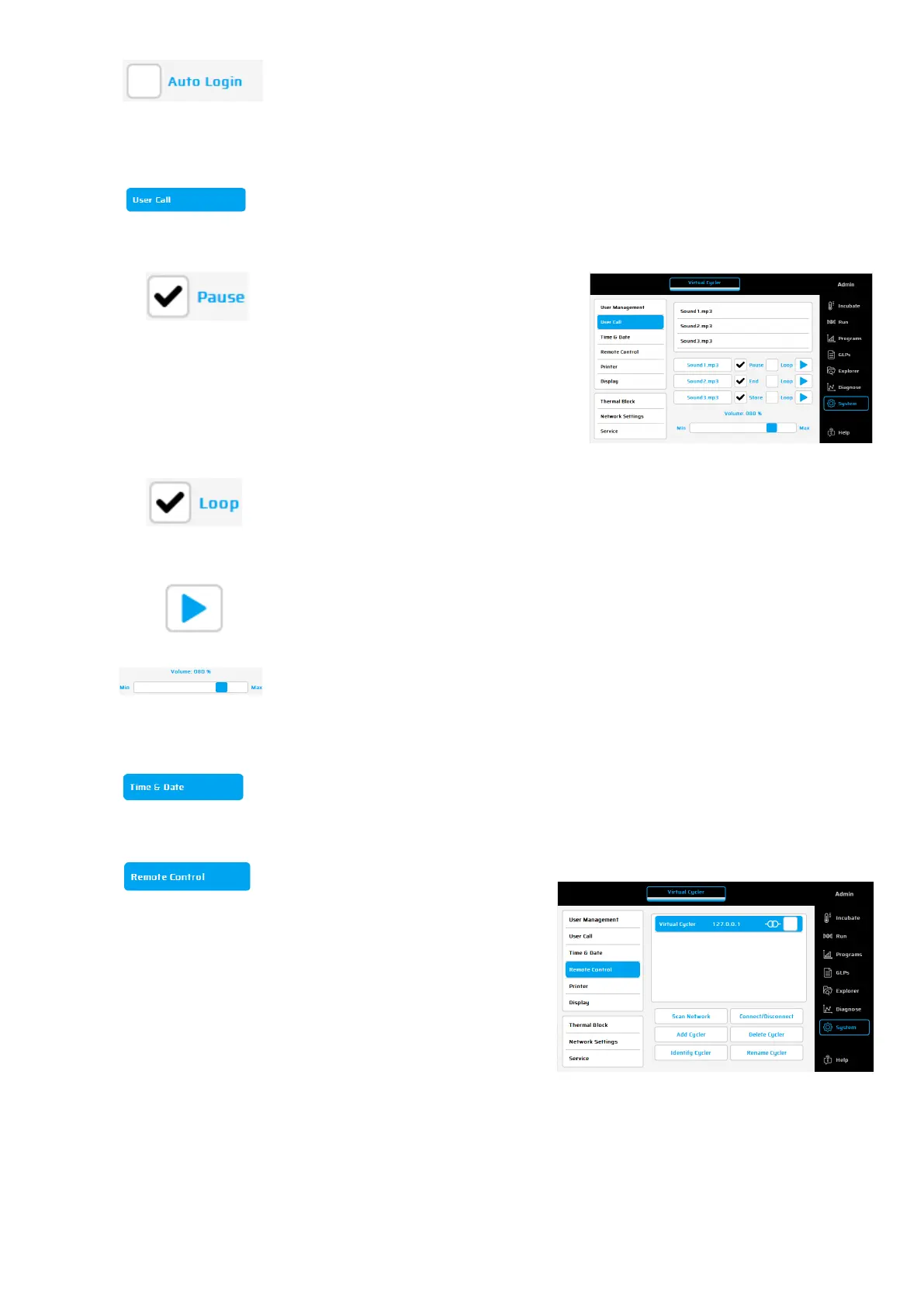
Using this button different user calls can be set. Sound files are stored at: /C/Sounds
To activate sound for the desired event,
mark the relevant sound file in the list and
click into the event
box
('Pause', 'End' and
'Store'
. The file name will appear in the box
and can be activated by a click in the
checkbox. Each sound may be selected to
play once (standard setting) or
in a loop.
When this checkbox is activated, the user call will be repeated periodically as
long as the event is open.
The selected sound can be listened to when pushing this button
Set the desired sound intensity.
Using this button, the time and date can be set.
Remote Control
This dialogue is used to connect a
thermal cycler via network, to enable a
remote control off the instrument.
The following command buttons are
available:


 To Next Page