36 vwr.com I Instruction manual VWR
®
PCR Cycler XT
96
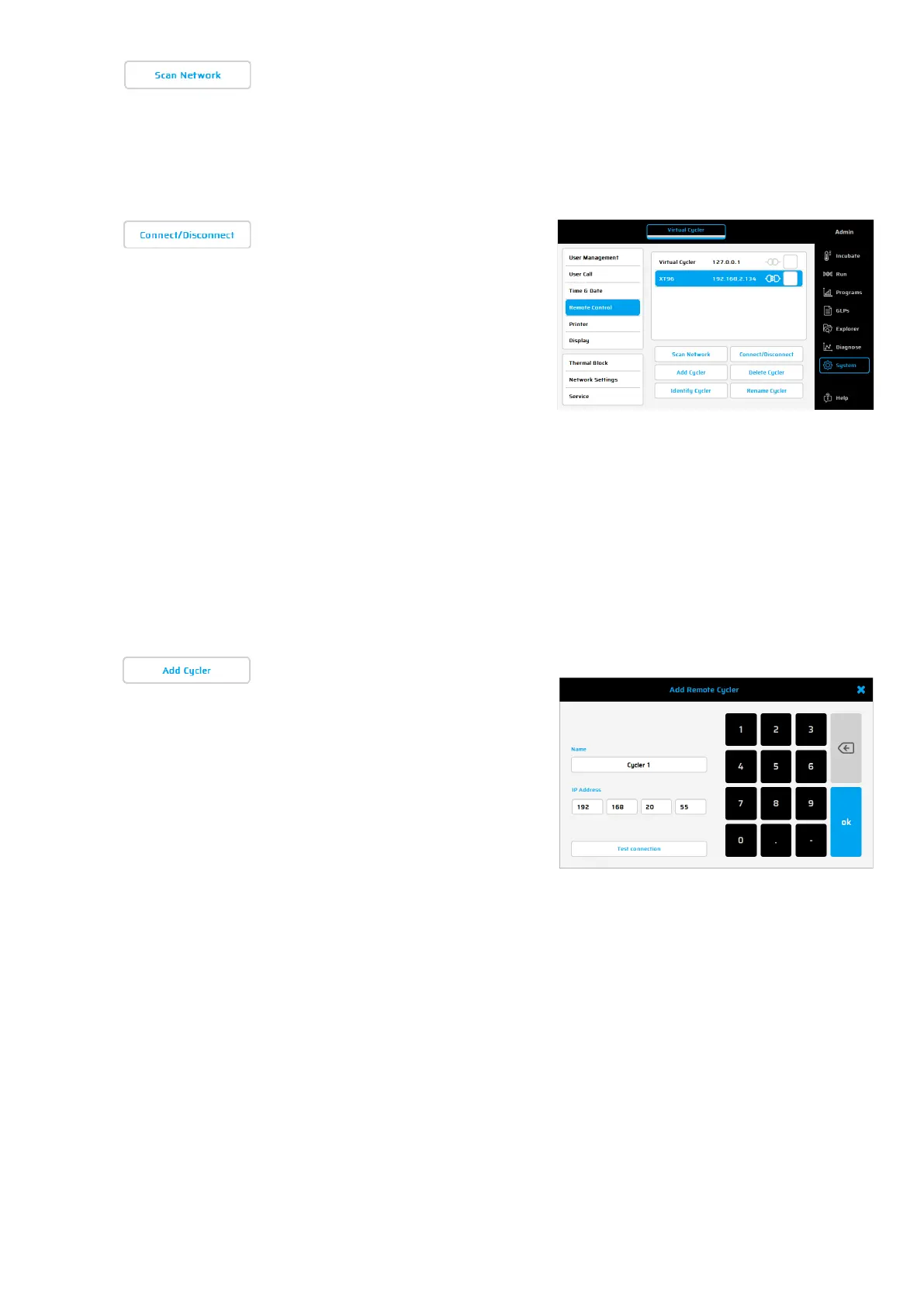
This dialogue is used to search
for existing XT
96
Thermal cyclers.
All existing connections
must be
disconnected before searching.
Once a remote-
been made via LAN the target cycler will
be displayed in the LAN control window
(in our example: XT96).
To reconnect with this cycler, mark it in
the overview and use the button
'Connect/Disconnect
connection.
To disconnect a LAN connection with a
cycler, mark the chosen unit in the
overview and use the button
'Connect/
Disconnect'. The cycler can
then be controlled again via touch
screen.
Alternatively, the LAN connection will be
stopped when the
or the software at the PC is closed.
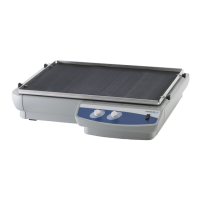
Using this function,
new cycler for remote control can be set
up manually
. Enter the IP address of the
target cycler and a name, in the
box. Click on ‘Test connection’
to verify
if a communication between both
cyclers is possible.
As a preferred alternative
use the function “Scan Networ
and connect XT
96
Thermal Cyclers


 To Next Page