37 vwr.com I Instruction manual VWR
®
PCR Cycler XT
96
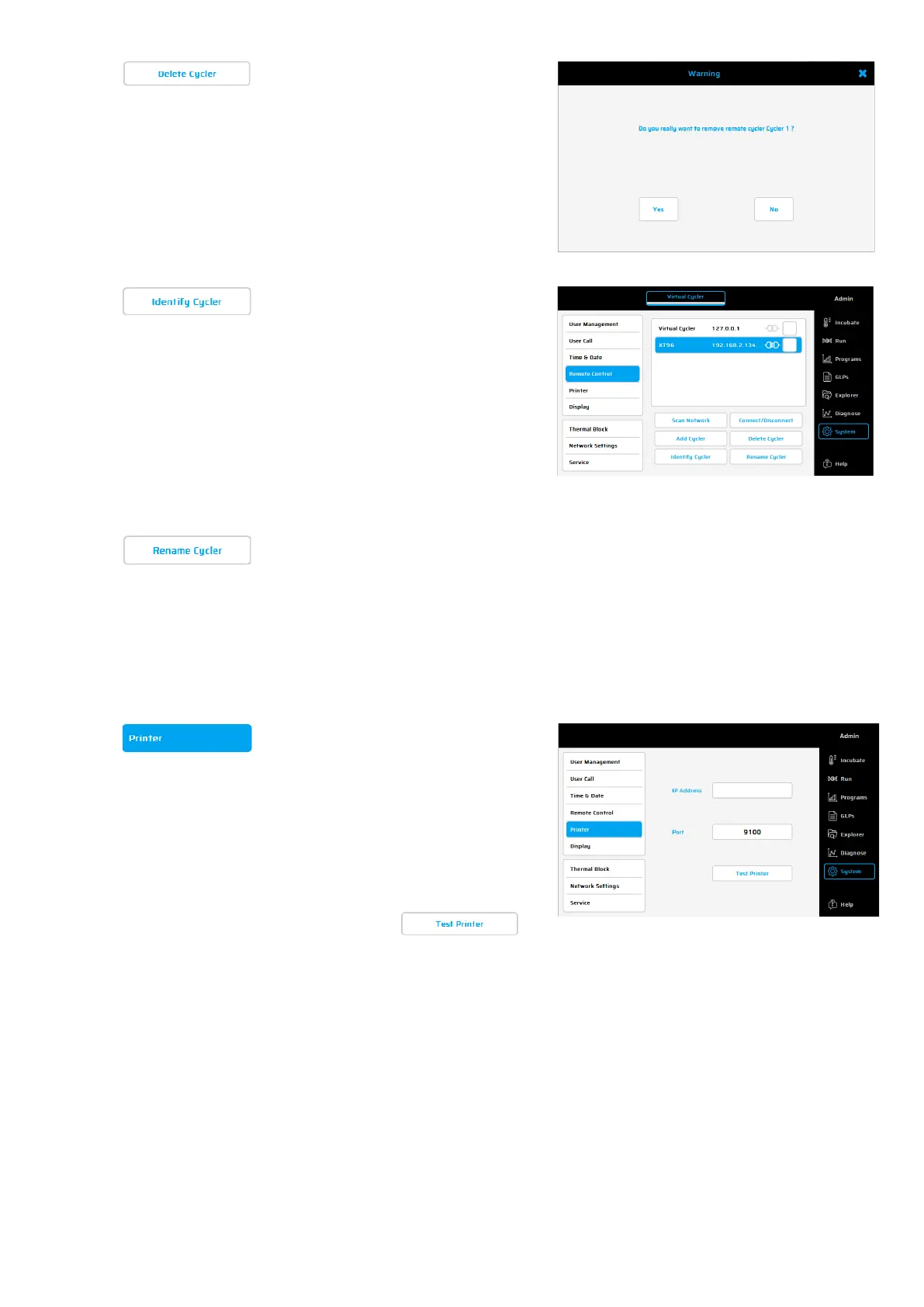
Using this button, a marked connection
to a cycler for remote control can be
deleted. To mark a connection,
the connection in the list
Delete.
The adjoining dialogue window
appears, press Yes if you really want to
delete the Cycler settings.
This function is used to identify a cycler
displayed in the LAN control window (in
our example: XT
96
).
To identify this cycler, mark it in the
overview and use the button 'Identify
Cycler'.
The status LED of the marked
cycler will start blinking for 5 seconds.
Rename Cycler
Use this function to change the cycler
name displayed in the LAN control
window (in our example: XT
96
).
The XT
96
thermal cyclers can print GLPs
on a network printer. Using this
dialogue, the IP address for the network
printer, can be entered.
Please refer to your network
administrator for the correct printer
path.
Use the button to


 To Next Page