39 vwr.com I Instruction manual VWR
®
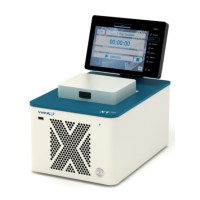
PCR Cycler XT
96
Software Update
Updates the software of the Thermal
Cycler. The
software must be available
on a USB memory stick connected to the
device. The file “XT96Update.XT96
”
must be present on the USB Stick. Click
on Software update.
The USB memory stick must not be
removed during update process!
After a successful update the display
shows the corresponding message and
the software starts again. The USB
memory stick can be removed then.
All Settings done in the System dialogue
will be resetted
to their default settings,
program and GLP files will be deleted.
Insert an USB Stick into the Cycler or PC.
Configure the network settings for the
thermal cycler (XT
96
or XTender
96
)
shown in the picture.
Make sure
unique and press OK.
A “XT96ConfigFile” file will be generated
and stored on the USB stick.
Use this “Network Configuration USB
Stick” to set up the Network
configurations on your XTender
96
Note: Every Thermal Cycler needs a separate “XT96 Config File” where the instrument
name is unique.
Plug the “Network Configuration USB-Stick” into an USB port of the
96
96


 To Next Page