5
IVTM
Operation
28
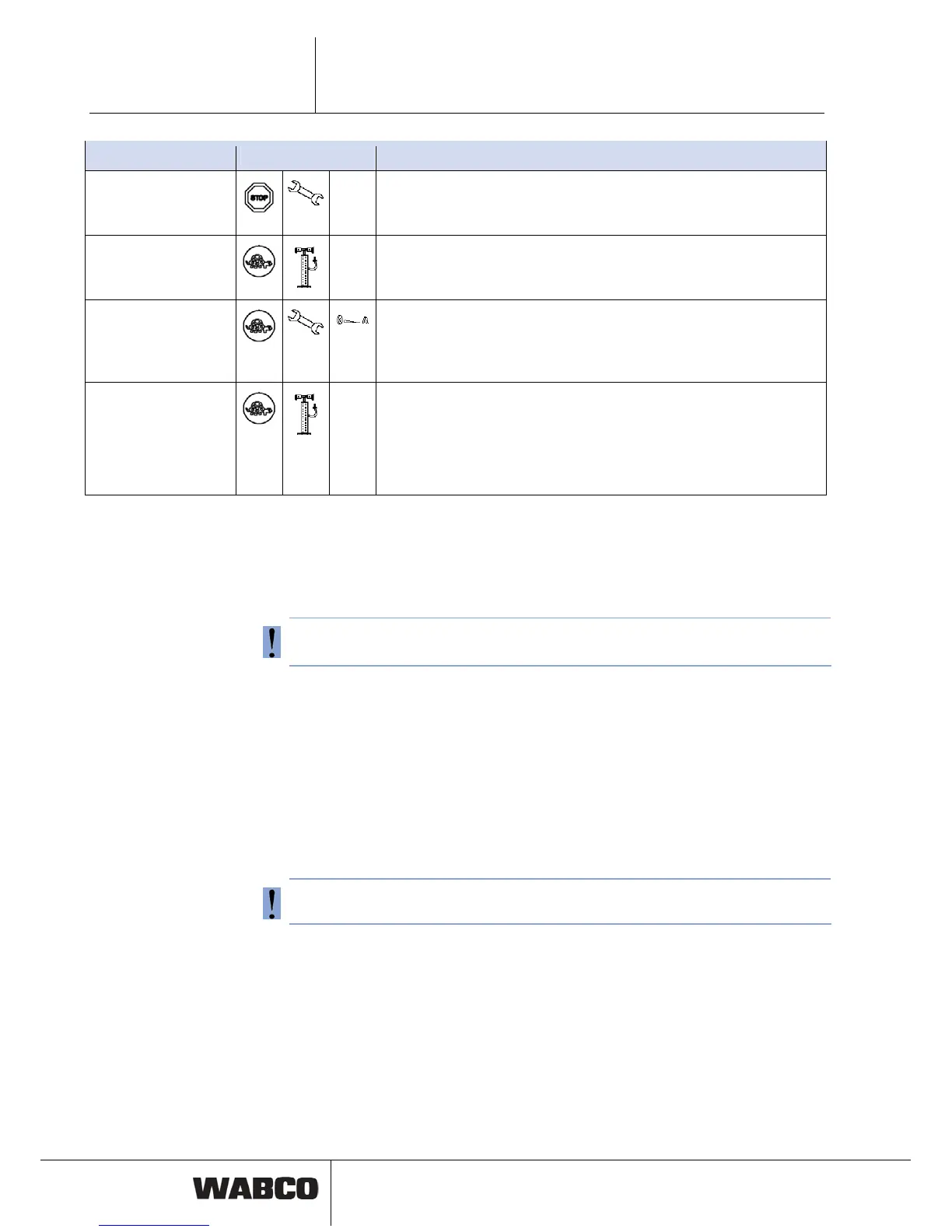
Error Displayed Action
1. Extremely low pres-
sure
– Look for the cause.
– If
– Stop the vehicle immediately.
necessary, also change the tire.
2. Low pressure
– Reduce your driving speed.
– Adjust air pressure at the next opportunity.
3. Creeping pressure
loss
– Reduce your driving speed.
– Stop the vehicle at the next opportunity.
– Look for the cause of the pressure loss.
– If necessary, also change the tire.
4. High pressure
– Reduce your speed for preventing the tire from bursting.
– Search for the cause of excess pressure (e.g. defective, over-
heated brake).
– Correct the tire pressure in the event of overpressure when the tire
is cold.
– Stop the vehicle at the next opportunity.
Table: 5-1: Fault type overview
5.5 Adjusting tire pressures
Proceed as follows to adjust the tire pressures on the vehicle:
Do not adjust tire pressure with the ignition switch on - this may cause faulty warn-
ing messages on display.
– Turn off the ignition.
he ECU.
5.6 Display of System Errors
If "IVTM" is represented crossed out then there are one or more system faults.
– Adjust air pre
ssure.
– Switch on ignition again.
If leakage warning has been active, reset on display and stored on diagnostic
memory of t
System should be checked in the workshop.



 To Next Page