BA E14 track en* 1.3 * E14t_13_400.fm 4-43
Putting into operation 4
Adjusting the multi-functional display
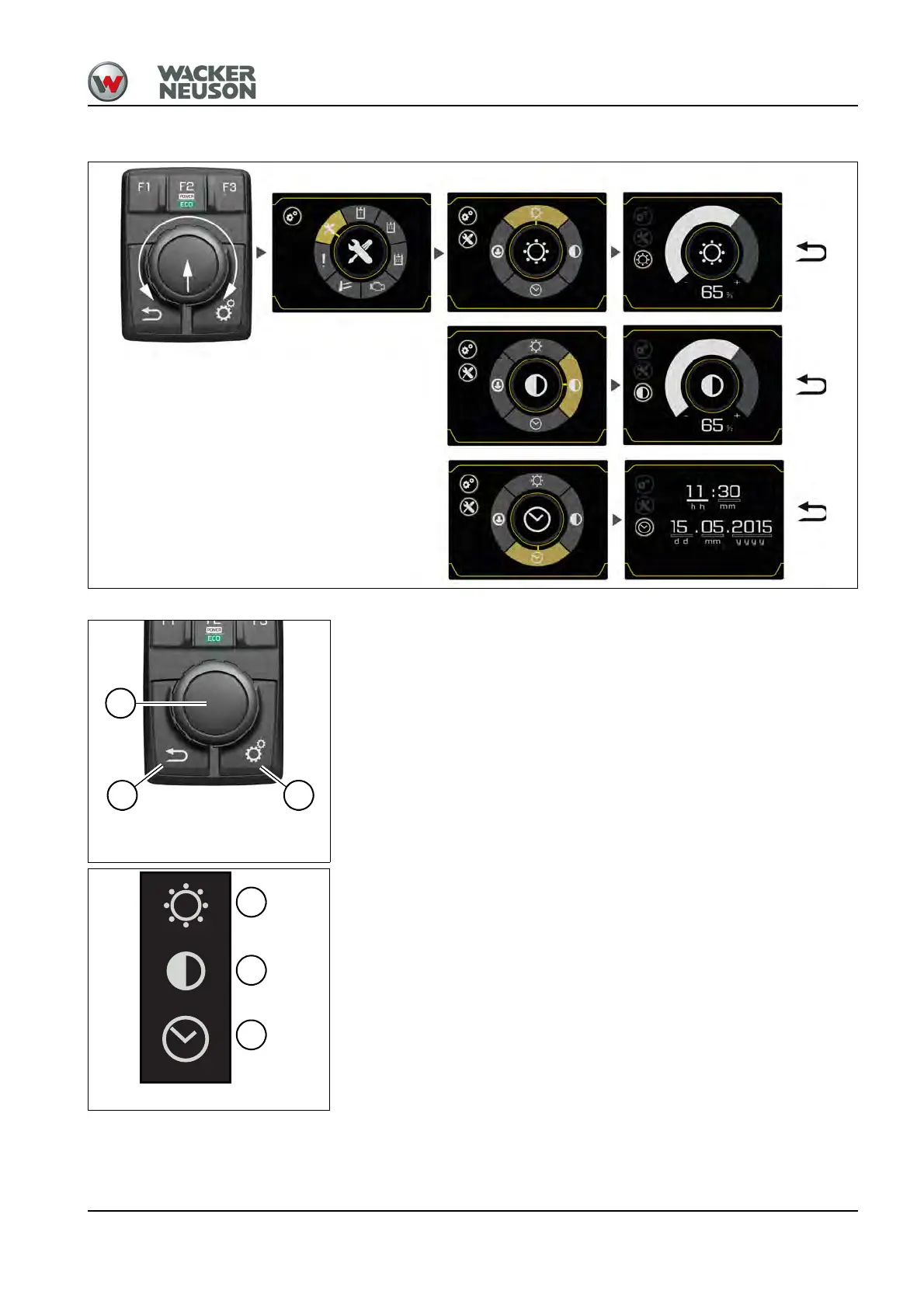
Performing the adjustments
• Push button C: call the settings.
• Adjustment button A: select settings (turn) and confirm (press).
• Push button B (return): back to previous menu level.
Symbols
D: Brightness
E: Contrast
F: Time/Date











 To Next Page