4-42 BA E14 track en* 1.3 * E14t_13_400.fm
4 Putting into operation
Overload
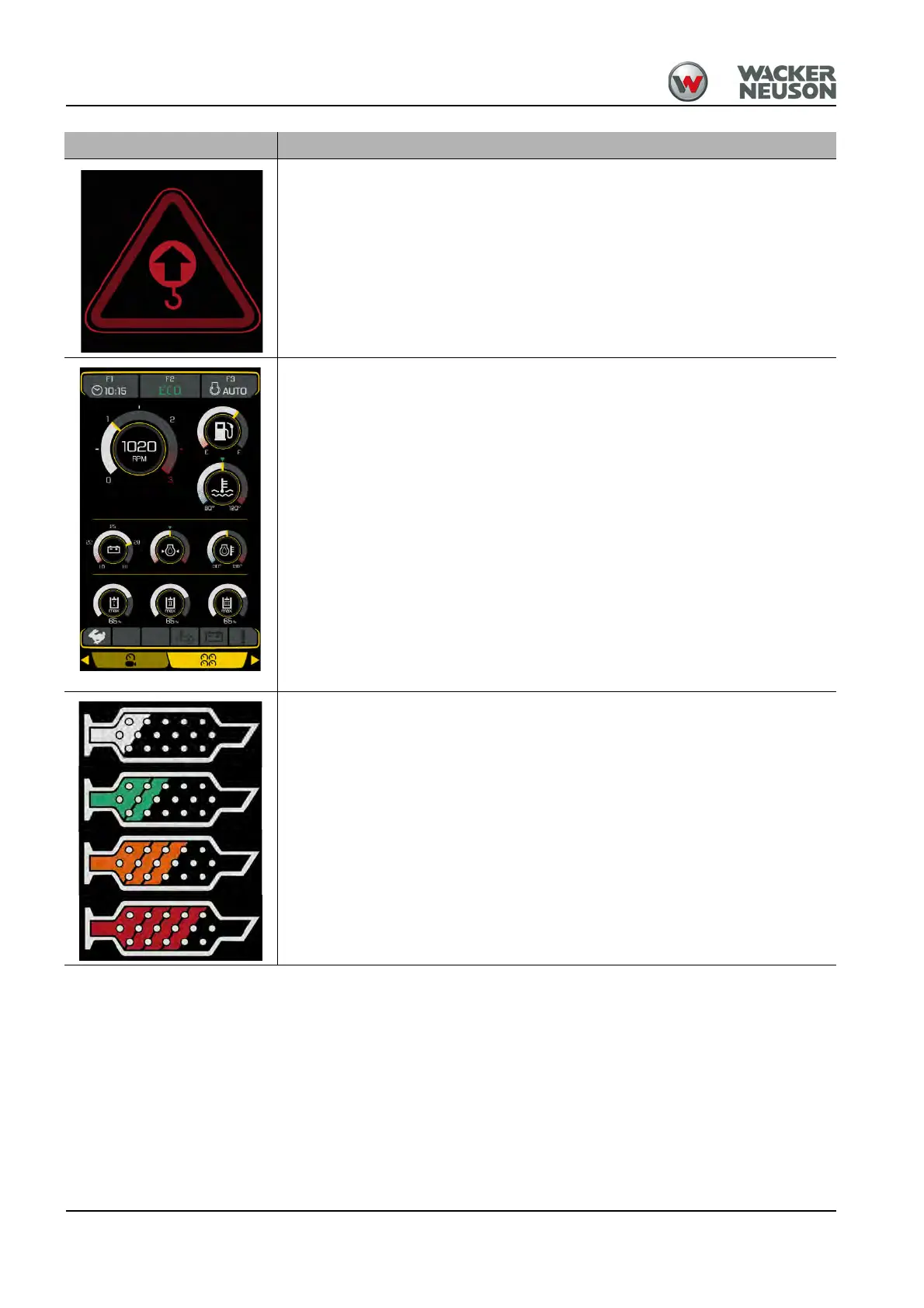
The symbol shown on the left appears and the buzzer sounds.
The permissible load diagram values are exceeded.
• Reduce the load until both the buzzer and the warning light go out –
see chapter “ Lifting gear applications” on page 5-33.
When the safe load indicator is switched on, the symbol is illuminated and the
buzzer sounds as a functional check.
Status indicator for 7” multi-functional display (option)
Additional status indicators are displayed:
• Battery voltage
• Engine oil pressure
• Hydraulic oil temperature
• Preset maximum flow rate of the additional control circuits AUX I through
AUX III
Use the rotary switch of the jog dial control unit to toggle between camera view
and status display.
DPF loads
White: no load
Green: low load
Yellow: medium load
Red: highest load
– see chapter “ Indication of load condition” on page 7-64
Symbol











 To Next Page