21
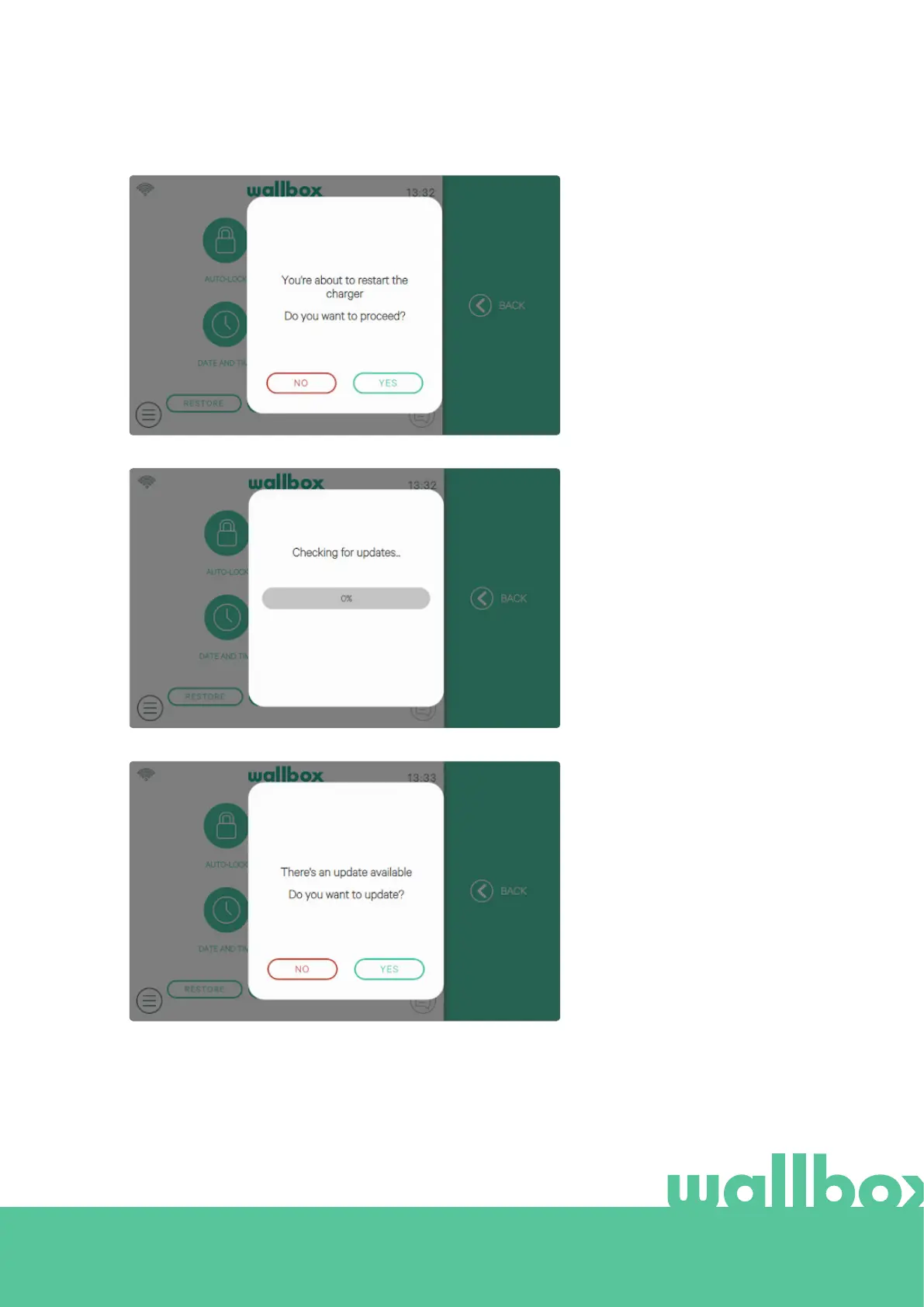
Restart
Restart your charger to clear
your charger’s system. No data
or personalised configurations
will be lost.
Updates
Check if any software updates
are available in order to get
the most out of your charger.
We recommend you update
your charger as soon as a new
software version is available.
The software update feature
requires the charger to be
connected to the internet.



 To Next Page