37
myWallbox Portal
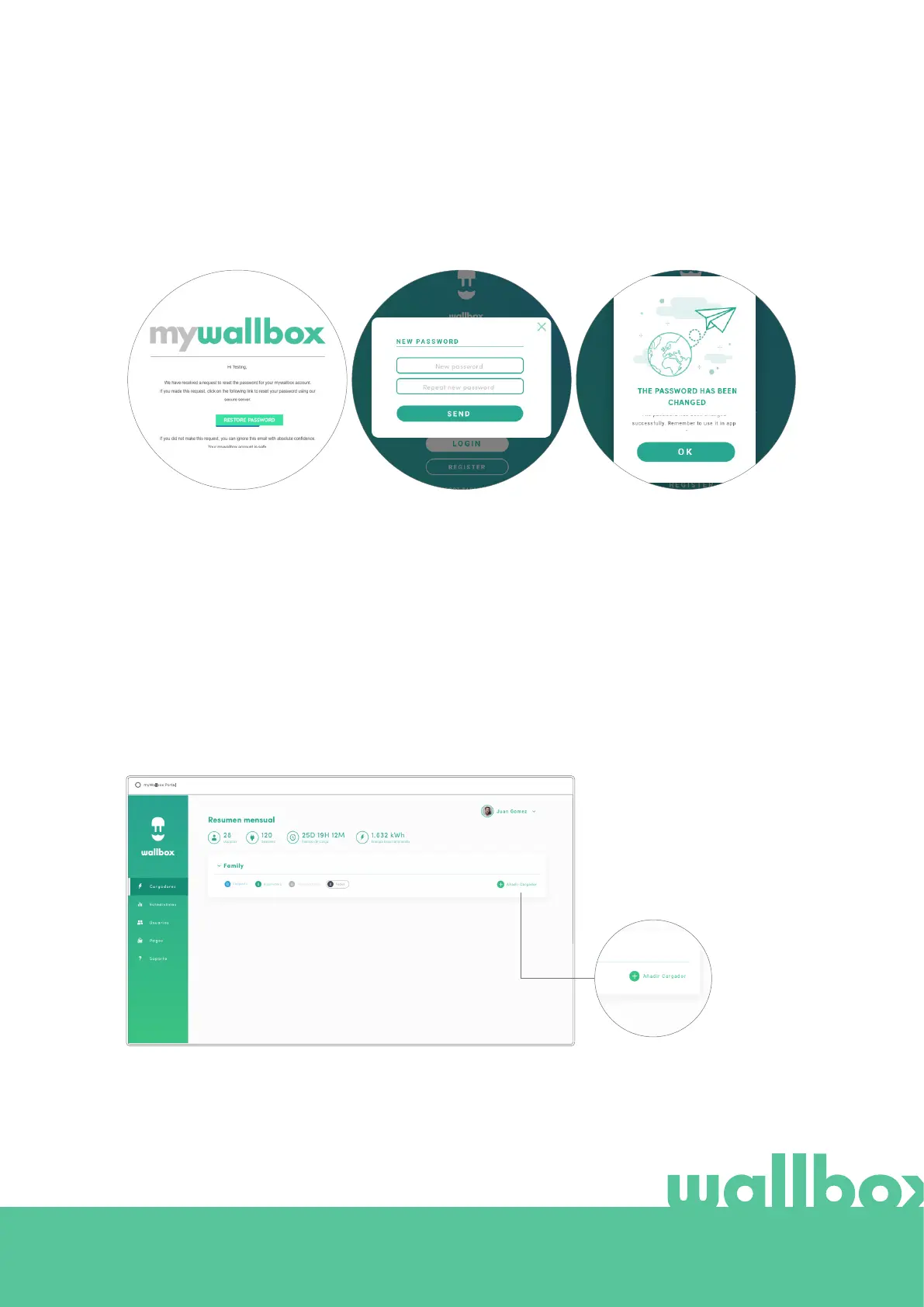
A confirmation popup appears.
Now you are able to login with
your new password.
After clicking on this link, you
are redirected to the site and the
restore password popup appears.
Enter your new password twice
in the form and continue.
Having opened the email, click
on the “restore password” button
to start using your account.
You will then receive an email with instructions on how to create a new password. If you do not see the email
in your inbox, please check the spam folder.
First access
Once you are successfully logged into the myWallbox website, you are redirected to the myWallbox main
page which shows the list of all chargers linked to your account.
Add a charger to your
account
From the myWallbox main page
click “Add charger”.



 To Next Page