19
OPTIONS
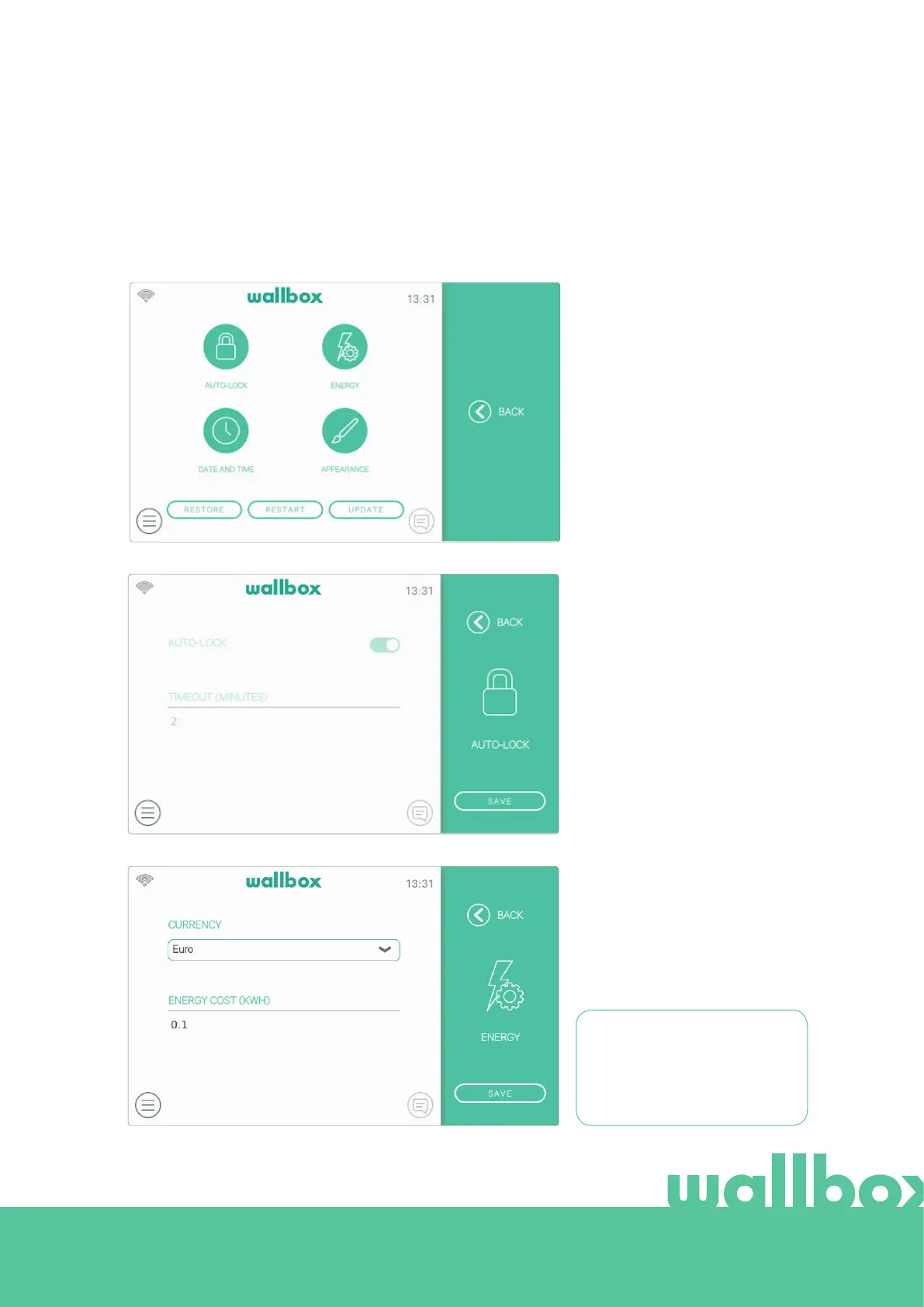
Enter this screen to:
• Configure the Auto-lock feature
• Configure the Energy settings
• Set date and time
• Change appearance settings
• Restore the charger to factory state.
• Restart the charger
• Update the charger
Auto-Lock
By activating this feature the
charger will lock automatically
after the configured period of
time. Switch the Auto-Lock on,
enter the timeout in minutes
and press Save to save the
configuration.
Energy
Manually adjust the tari price to
get a more precise summary of
your expenses. Select your local
currency from the drop-down
menu.
The currency and energy cost
settings are not synchronized
with the myWallbox portal or the
Wallbox app.



 To Next Page