18
Charging plug operation
To connect
1. Open the vehicle’s inlet cap (check the vehicle’s user manual to
know where it is and how to open it).
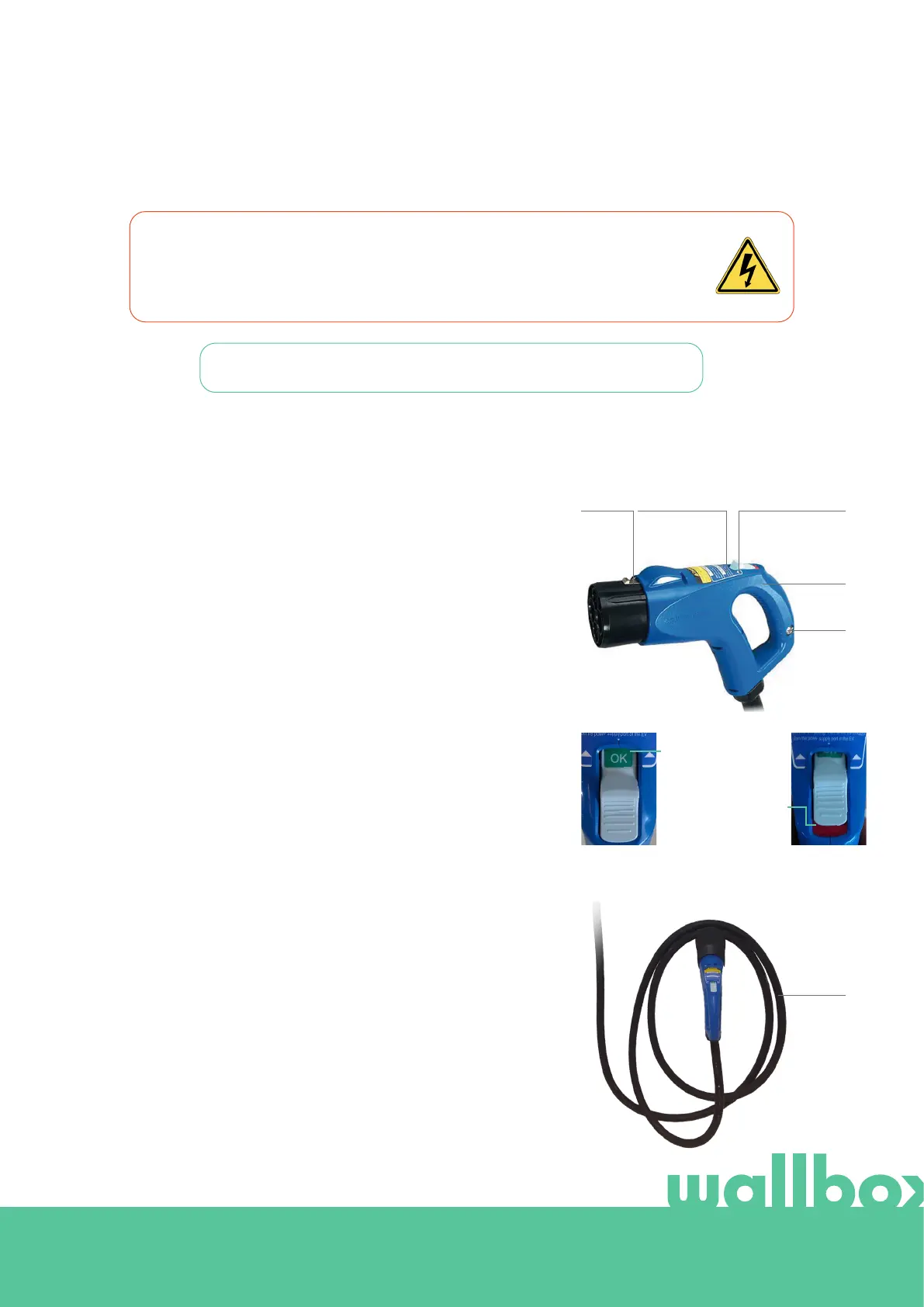
2. Hold the charging plug by its grip.
3. Slide the release button and hold it while removing the plug
from the holder.
4. Connect the charging plug to the vehicle inlet.
5. Verify the release button is well connected (see picture 6).
To disconnect
1. Wait until the charging plug light (red colored) is o. It can take
up to 10 seconds after stopping the charger (check either this
manual or the vehicle´s manual for instructions about stopping
the charger)
2. Hold the charging plug by its grip.
3. Slide the release button and hold it while removing the plug
from the inlet.
4. Roll the hose around the plug holder (see picture 7).
5. Connect the charging plug to the plug holder.
6. Verify the release button is well connected (see picture 6).
WARNING: After stopping the charging process, the vehicle connector and the
equipment plug can be disconnected. Never use force to disconnect the vehicle
connector from the inlet or the equipment plug power outlet. Such dangerous activity
can cause serious injuries or even death.
Review the instructions on the charging plug labels.
Good connection
(green OK text
visible)
Bad connection (red
area visible)
Picture 7.
Picture 5.
LATCH INSTRUCTION
LABELS
REALEASE
BUTTON
GRIP
LIGHT
HOSE
Picture 6.



 To Next Page